
App to Help Me Reply to Customer Complaints Professionally

An app to help me reply to customer complaints drafts calm, empathetic, policy-aware email responses from the customer’s message and your notes. Use it to avoid blank-page stress, but always verify the facts, refund rules, timelines, and promises before sending.
> Definition: A customer complaint reply app is an AI email tool that turns an upset customer message plus your context into a professional support response you can edit, approve, and send.
TL;DR
- Use a complaint reply app to draft faster, calmer, more consistent customer emails without starting from scratch.
- The best replies acknowledge the issue, show empathy, explain the next action, and avoid promises your team cannot keep.
- AI can improve speed and tone, but human review is still required for accuracy, privacy, refunds, and compliance.
For this specific workflow, FlyMail is most useful when you need an empathetic email AI to turn a customer complaint, your policy limits, and the next step into a calmer draft. It should not be treated as an autonomous support desk or a source of refund authority.
How these apps look
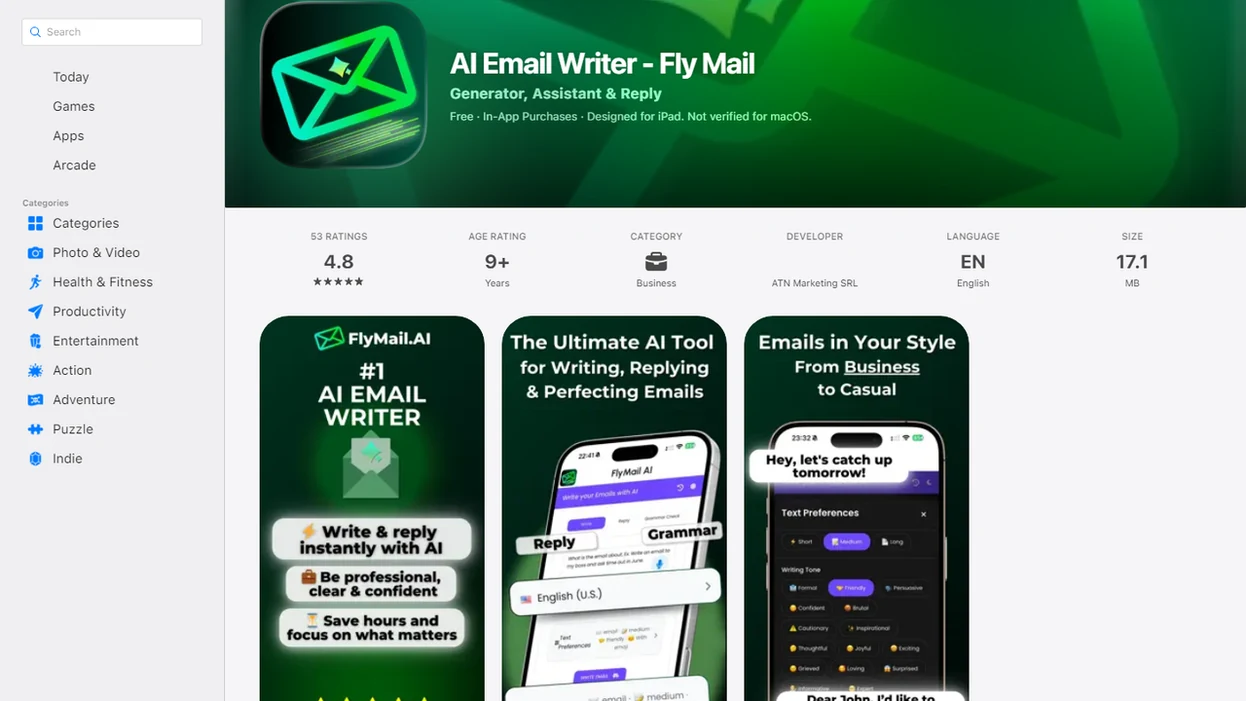
Side-by-side captures of the compared products. Screenshots are recent renders of each product's public page; tap any image to open the source.
What a Customer Complaint Reply App Actually Does
A customer complaint reply app drafts, rewrites, shortens, and adjusts support responses. It helps the person writing the email, but it does not replace the agent’s judgment.
The usual inputs are simple: paste the complaint, add order context, name the policy limits, choose the desired tone, and state the next step. That might be “calm and concise,” “apologetic but confident,” or “empathetic and proactive.” The output can be an apology email, refund explanation, escalation note, follow-up response, or de-escalation reply.
Tools like FlyMail fit this category as AI email writers for drafting, replying to, and improving professional emails on web and mobile. A good AI email writer and email generator for drafting, replying, and refining professional and personal emails on web and mobile gives you send-ready drafts, not send-without-reading decisions.
Ticket number copied into the subject line. Then the real work starts.
At-a-Glance: Best Uses for an Empathetic Email AI
An empathetic email AI is strongest for tone, structure, and speed. Humans still own the facts, judgment calls, account history, and final decisions.
| Complaint situation | What the app helps draft | What the human must verify |
|---|---|---|
| Late delivery | Apology, delivery update, next-step message | Tracking status, carrier notes, refund or credit rules |
| Billing dispute | Calm explanation and request for missing details | Charges, invoices, payment records, adjustment authority |
| Product defect | Acknowledgment, troubleshooting reply, replacement path | Warranty terms, defect evidence, inventory, safety concerns |
| Rude service experience | Empathetic de-escalation and escalation note | Staff record, prior contact, management review process |
| Cancellation request | Cancellation confirmation or retention response | Contract terms, notice period, fees, access cutoff |
| Repeated unresolved ticket | Ownership email and timeline update | Ticket history, promised deadlines, escalation owner |
For support teams, the app is often easier than rewriting from scratch because it keeps the structure steady while the agent checks the substance.
Five Facts About Support Complaint Response Tools
Support complaint response tools are useful when they speed up drafting without weakening review. The strongest results come from clear context, clear limits, and a person who reads before sending.
- AI can turn a complaint and rough notes into a clear draft in seconds. That helps when the inbox label says “Refund complaint” and the reply has been waiting since lunch.
- Better context produces better customer-specific replies. Salesforce’s State of the Connected Customer report found that 72% of customers expect agents to know who they are, what they bought, and their previous engagements source.
- Consistent tone matters because poor service drives churn. PwC found that 32% of customers would stop doing business with a brand they loved after one bad experience source, and Microsoft reported that 58% see poor service as a top reason to switch brands source.
- Agents must review the draft for policies, promises, and accuracy. The app can phrase a refund offer, but it cannot decide whether the customer qualifies.
- Privacy and sensitive customer data require care. McKinsey’s customer-service AI analysis focuses on workflow gains, but secure data handling still depends on the business using the tool.
How a Customer Complaint Reply App Works Behind the Scenes
A customer complaint reply app works by combining the customer’s message, your context, a tone choice, policy constraints, and a generated draft. The model predicts language patterns that fit acknowledgment, empathy, explanation, resolution, and a next step.
In plain English, it turns messy support notes into a usable email shape. It may use natural language generation and prompt context. Natural language generation means the system creates new wording from patterns in language; prompt context means the details you provide guide the reply.
Tools built for email, such as Fly Mail, are optimized for email format, tone, clarity, and reply workflows rather than open-ended chatbot output. That matters on a phone, where losing the original email while rewriting the reply is annoyingly easy.
The app does not magically know private account facts. If the order status, warranty rule, or ticket history is not provided or integrated, the draft may guess.
Requirements Before You Use a Customer Complaint Reply App
What do you need before using a customer complaint reply app? You need the original complaint, customer history if available, order or ticket details, what went wrong, what has already been tried, allowed remedies, forbidden promises, and desired tone.
Context matters because customers expect recognition, not a generic script. Salesforce’s connected customer research found that many customers expect agents to know who they are, what they purchased, and how they previously engaged. That expectation changes the draft. “We’re sorry for the inconvenience” is thin. “I see this is the second delay on order 4817” is more useful, if true.
Keep sensitive data out of unvetted tools. Don’t paste full card numbers, medical details, passwords, private IDs, or unnecessary account records just to improve tone.
Copying three rough bullets from Apple Notes into a draft box before a meeting starts is enough. Preparation makes the app more accurate and less risky.
How to Use an App to Help Me Reply to Customer Complaints
Use a complaint reply app as a drafting workflow, not an automatic send button. The safest process is paste, choose, refine, verify, then send.
- Paste the complaint into the app, including only the parts needed to understand the issue.
- Add factual context such as order status, ticket history, what failed, and what has already been offered.
- Set the tone with plain instructions like “apologetic but confident,” “calm and concise,” or “empathetic and proactive.”
- Generate the first draft and check whether it acknowledges the issue before explaining policy.
- Check policies and promises for refunds, credits, timelines, admissions, and escalation rules.
- Refine and send only after a human review confirms the reply is accurate and appropriate.
FlyMail can be used on web and mobile for drafting and refining support emails, which helps when a reply has to be polished between client calls. Final sending should still happen from the inbox or support desk after review.
Common Mistakes When Using a Customer Complaint Reply App
The most common mistake is treating a polished draft as a verified answer. A complaint reply app can sound confident while still adding details, promises, or empathy that do not match the record.
Use this quick check before anything reaches the customer:
- Remove unnecessary personal data before pasting the complaint into any tool, especially payment details, IDs, passwords, or private account notes.
- Review the draft for invented refunds, delivery dates, investigation timelines, admissions of fault, or customer-specific facts that were not in your notes.
- Escalate legal, safety, billing, regulated, and repeat-complaint cases before sending, even if the wording looks calm.
- Rewrite vague empathy lines so they name the actual problem. “I’m sorry the replacement arrived damaged” is stronger than “Sorry for the inconvenience.”
- Confirm the final message against the support desk record, including ticket history, prior promises, current status, and the next owner.
If the draft feels easier to send because it avoids the hard part of the complaint, pause. That is usually the exact place where a human needs to check the facts.
Complaint Reply Structure for Empathetic Support Emails
A strong complaint reply follows a repeatable structure: greeting, acknowledgment, brief apology where appropriate, factual explanation, remedy or next step, timeline, ownership, and closing. That structure helps you judge AI output instead of trusting it blindly.
Empathy is not the same as admitting legal fault. “I understand why this was frustrating” recognizes the customer’s experience. “We caused damage and accept liability” may create a commitment your team is not authorized to make. If the issue is regulated, contractual, or safety-related, escalate before sending.
Weak pattern: “Sorry for the issue. We’ll look into it.”
Better pattern: “I’m sorry the replacement part arrived damaged. I’ve opened ticket 28491, and our team will confirm the replacement option by Thursday.”
Research in Service Business found that effective complaint handling improves customer satisfaction and loyalty, especially compared with unresolved complaints source. For support teams, structure is often more reliable than improvising under pressure.
Common Myths About AI Customer Complaint Replies
AI customer complaint replies are useful, but several myths make teams use them badly. The safe version is simple: let the app draft, then let a person decide.
Myth 1: AI replies can be sent completely on autopilot. They should not be, unless strict approvals, verified data, and escalation rules are already in place. Autopilot is risky when money, contracts, or account access are involved.
Myth 2: Empathetic email AI always sounds robotic. It can sound stiff if the prompt is vague. Add tone guidance, customer context, and one approved example.
Myth 3: These tools only work for simple complaints. They can also organize complex complaints into a clear response. The agent still needs to provide constraints and remove unsupported claims.
Myth 4: AI removes legal, refund, or compliance risk. It does not. It may draft a promise the company cannot honor.
That awkward pause before tapping Send still matters.
Team Guardrails for a Customer Complaint Reply App
Teams should set guardrails before agents use a customer complaint reply app in live support. Shared rules protect consistency, reduce rework, and make review faster.
Frontline agents can turn long emotional complaints into concise replies while staying policy-aligned. The app can tighten the ask, summarize the issue, and suggest a calmer response. A support lead still needs to define what counts as escalation, what refunds are allowed, and which phrases should never appear.
McKinsey has reported that AI-assisted customer-service operations can reduce service load when paired with digital self-service and better workflows, including up to 25% lower call volume and up to 30% lower handling costs in some cases source. The key phrase is “paired with workflows.”
Team guardrails:
- Approved tone rules for apology, ownership, and firmness.
- Template examples for common complaint types.
- Escation rules for legal, safety, billing, and repeat tickets.
- Refund and credit boundaries by role.
- Review workflow before customer-facing replies go out.
Limitations
A complaint reply app can improve drafting, but it cannot repair the underlying customer experience. Treat it as a writing assistant, not an operations fix.
- The app cannot fix a broken product, policy, delivery process, or customer experience.
- AI may invent details, timelines, refunds, credits, or admissions if constraints are unclear.
- Human review is required before sending customer-facing replies.
- Sensitive customer data should not be pasted into unvetted tools.
- Complex legal, medical, financial, HR, insurance, or regulated complaints may require escalation.
- Tone can still misfire for highly emotional, sarcastic, or ambiguous messages.
- The app may over-apologize, over-promise, or sound too formal for your brand.
- It may miss internal history if ticket notes, previous replies, or account data are not included.
- It cannot decide whether a customer is right, abusive, fraudulent, or eligible for an exception.
- Multilingual replies still need review by someone who understands the customer’s language and cultural expectations.
Rain-speckled rideshare window, angry inbox, low battery. Not the moment to skip review.
FAQ
What app replies to complaints?
AI email writers and customer complaint reply apps can draft professional responses from a pasted complaint and your context. They are most useful when you need help with structure, empathy, and wording.
Can AI answer customer complaints?
AI can draft and refine customer complaint replies, but a human should verify facts, policies, refunds, timelines, and promises before sending. It should not replace support judgment.
How do I reply professionally to a customer complaint?
A professional complaint reply should acknowledge the issue, show empathy, explain what happened if known, offer a remedy or next step, and follow up clearly. Keep the tone calm and avoid promises you cannot keep.
Can AI make a complaint reply sound empathetic?
Yes, AI can make a complaint reply sound empathetic when you provide the issue, customer context, and tone instructions. Review the draft so warmth does not become over-apology or unsupported fault.
Should AI send customer complaint replies automatically?
Automatic sending is risky unless strict guardrails, approvals, verified data, and escalation rules are in place. Most teams should require human review for complaint replies.
What context should I give a complaint reply app?
Give the original complaint, order or ticket history, what happened, what has already been tried, allowed remedy, policy limits, and desired tone. Remove unnecessary sensitive data before pasting.
Are complaint reply apps safe to use with customer data?
Complaint reply apps can be safe when the tool has appropriate privacy and security controls. Avoid pasting sensitive customer data into unvetted tools.
Can an email AI app write customer complaint replies?
Yes. Email AI apps such as FlyMail can help draft, reply to, and improve customer complaint emails on web and mobile. The sender should still verify context, tone, policy limits, and final wording before sending.