Why customer support email quality directly affects retention
Customer support email is often the defining moment in a customer relationship. When something goes wrong, the support response determines whether the customer stays, leaves, or becomes actively vocal about their experience. Research consistently shows that customers who receive excellent support after a problem are more loyal than customers who never had a problem at all.
The quality bar for support email is specific: the customer needs to feel heard, understand what is happening with their issue, and know what to expect next. An email that is technically accurate but emotionally tone-deaf fails this test. An email that is empathetic but vague about resolution also fails. Both elements, emotional intelligence and informational clarity, must be present.
This dual requirement is why support email is harder than it looks and why templates are so valuable. Templates encode best practices for both empathy and information structure, giving agents a proven starting point that they customize for each individual case.
Essential support email templates every team needs
Issue acknowledgment template: Confirm receipt of the customer report, restate the issue in your own words to demonstrate understanding, provide a ticket number or reference, set expectations for response time, and let them know who is handling it. This template is critical because the acknowledgment email sets the emotional tone for the entire support interaction.
Troubleshooting template: Thank the customer for reporting the issue, provide step-by-step instructions for the solution, explain what each step does and why, include what to do if the steps do not resolve the issue, and offer direct contact for further assistance. Number each step separately and keep each step to one action.
Refund or compensation template: Acknowledge the situation that led to the refund request, confirm the refund amount and processing timeline, explain how the refund will appear on their statement, apologize for the inconvenience with specificity, and confirm what happens next with their account or service.
Escalation template: Explain that the issue requires specialized attention, introduce the person or team who will handle it, provide a realistic timeline for the next update, and reassure the customer that escalation means more resources are being applied to their case, not that their issue is being shuffled around.
How to handle the most difficult support email scenarios
Angry customers require a specific approach: acknowledge their frustration without being defensive, take ownership of the problem even if it was not your fault personally, and move quickly to resolution. The first sentence should demonstrate that you understand their specific issue, not just that they are upset. "I understand that the billing error on your account caused you to overdraft" is better than "I'm sorry you're frustrated."
Refund disputes need clear policy communication delivered with empathy. State the policy, explain how it applies to their specific situation, and if the answer is no, offer an alternative that demonstrates good faith. If the answer is yes, process it immediately and confirm.
Technical issues that you cannot reproduce are particularly challenging. Acknowledge the customer experience as real, explain what troubleshooting you have done on your end, ask specific diagnostic questions rather than generic ones, and provide a workaround if available while the investigation continues.
Customers who threaten to leave should be taken seriously but not panicked over. Address their underlying concern directly, provide a concrete resolution timeline, and let them know what steps you are taking. Do not make retention offers that you cannot sustain for all customers in similar situations.
Writing support emails that reduce follow-up questions
The most expensive support email is the one that generates a clarification reply. Every unclear response creates a back-and-forth chain that doubles or triples the resolution time and frustrates both the customer and the agent. The goal of every support email is to be complete enough that the customer does not need to reply with questions about your response.
Anticipate what the customer will ask next and answer it preemptively. If you are providing troubleshooting steps, also explain what to do if the steps do not work. If you are confirming a refund, also explain the processing timeline and what it will look like on their statement. If you are escalating, also explain who will contact them and when.
Use formatting to improve comprehension. Numbered steps for instructions, bold for important details like deadlines or amounts, and clear section breaks between topics. Support emails that are easy to scan are less likely to generate confusion-based follow-ups.
End every support email with a clear statement of what happens next: who takes the next action, when, and what the customer should do if they need further assistance. This closing eliminates the most common follow-up question: "So what happens now?"
Scaling support email quality with AI assistance
AI tools help support teams maintain quality at scale by generating contextually appropriate draft responses that agents can review and customize. This is particularly valuable during volume spikes like product launches, service outages, or seasonal peaks when response time pressure increases and individual agent attention per ticket decreases.
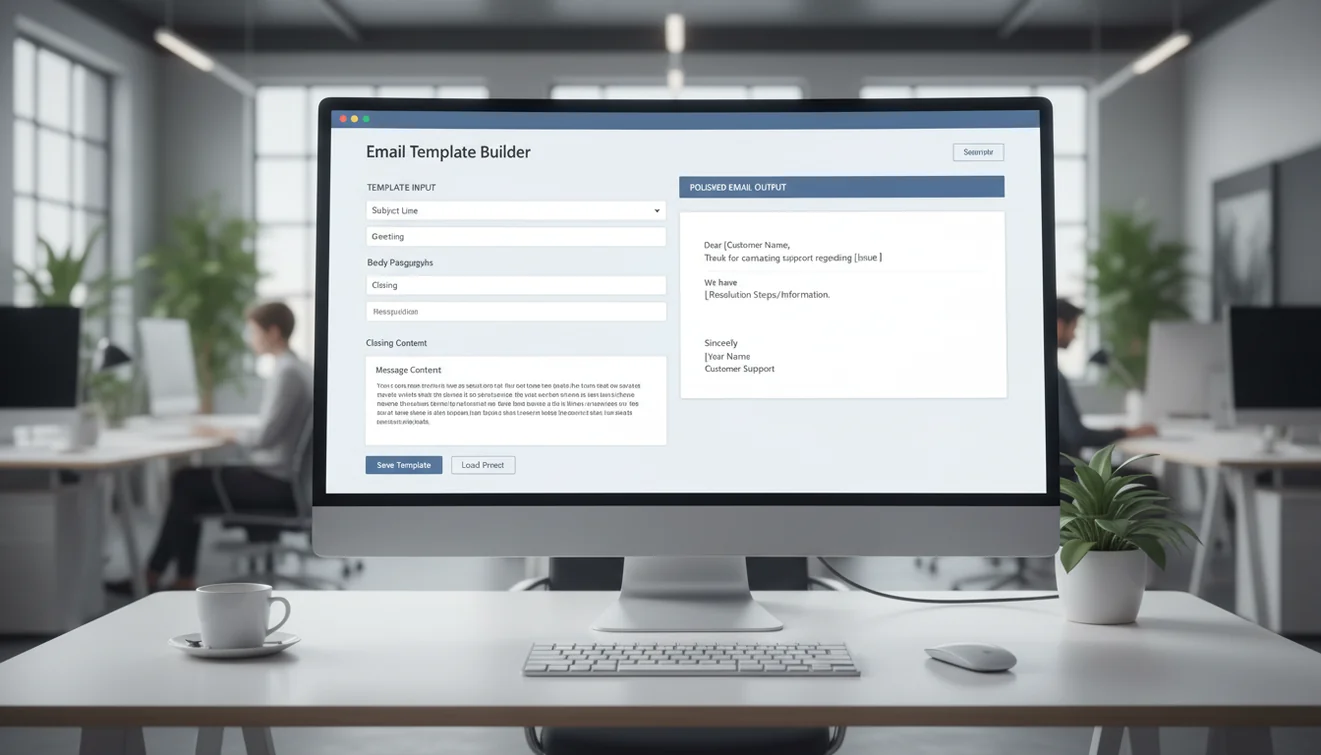
The implementation approach that works best is category-based. Identify your top 10 support ticket categories by volume. For each category, create an AI prompt template that includes the standard context, policy information, tone guidelines, and required response elements. When an agent receives a ticket in that category, they use the appropriate template, add the specific case details, generate a draft, review, customize, and send.
This workflow typically reduces per-ticket response time by 40% to 60% while maintaining or improving quality. The key is that the AI handles the structural and policy-compliance elements while the agent handles the empathy and case-specific customization. Neither element works well alone, but together they produce consistently excellent support communication.
Quality monitoring should continue even with AI assistance. Sample responses regularly to ensure that customization is happening and that agents are not sending generated drafts without review. The AI is a draft tool, not an autopilot.
Support email tone: finding the right register for every situation
Tone in customer support email is not a single setting. It should adapt to the customer's emotional state, the severity of the issue, and the stage of the interaction. The first response to a frustrated customer needs more empathy. The resolution confirmation email can be warmer and lighter. A proactive outage notification needs to be direct and informative.
The consistent foundation across all support tones is competence. The customer should always feel that they are communicating with someone who understands the problem, has the authority or access to help, and will follow through on what they promise. Warmth without competence is just friendliness. Competence without warmth is just bureaucracy. Both together create the support experience that builds loyalty.
Avoid tone mistakes that are common in template-based support. Do not use exclamation marks with negative news. Do not say "great question" to a complaint. Do not use corporate jargon that the customer may not understand. Do not start with "as per our policy" when the customer is upset. These mismatches between tone and situation are the fastest way to make a frustrated customer angrier.
When in doubt about tone, read the draft from the customer's perspective. If they are having a bad day and this is the third email about the same issue, how would this response feel? That perspective check catches most tone problems before they become customer experience problems.
Measuring and improving support email performance
The four metrics that matter most for support email quality are: first-response time, first-contact resolution rate, customer satisfaction per interaction, and follow-up rate per ticket.
First-response time measures how quickly customers get an initial reply. Industry benchmarks vary, but under 4 hours for business hours and under 24 hours overall is a reasonable target. Acknowledgment emails can be sent immediately while investigation continues.
First-contact resolution rate measures how often the first response resolves the issue without requiring additional exchanges. Higher is better. If this rate is below 50%, your templates or agent training likely need improvement.
Customer satisfaction should be measured per interaction, not just per ticket. A ticket might be resolved satisfactorily overall, but individual responses along the way might have been unclear or unhelpful. Per-interaction measurement provides more granular feedback.
Follow-up rate measures how often customers reply to ask for clarification. A high follow-up rate indicates that responses are not clear or complete enough. Review the most common follow-up questions and update your templates to address them preemptively.
Review these metrics weekly and conduct a monthly deep-dive into response quality by reading a sample of tickets from each agent. This combination of quantitative metrics and qualitative review produces the most useful insights for improvement.