
What App Identifies Key Points in Email Threads?
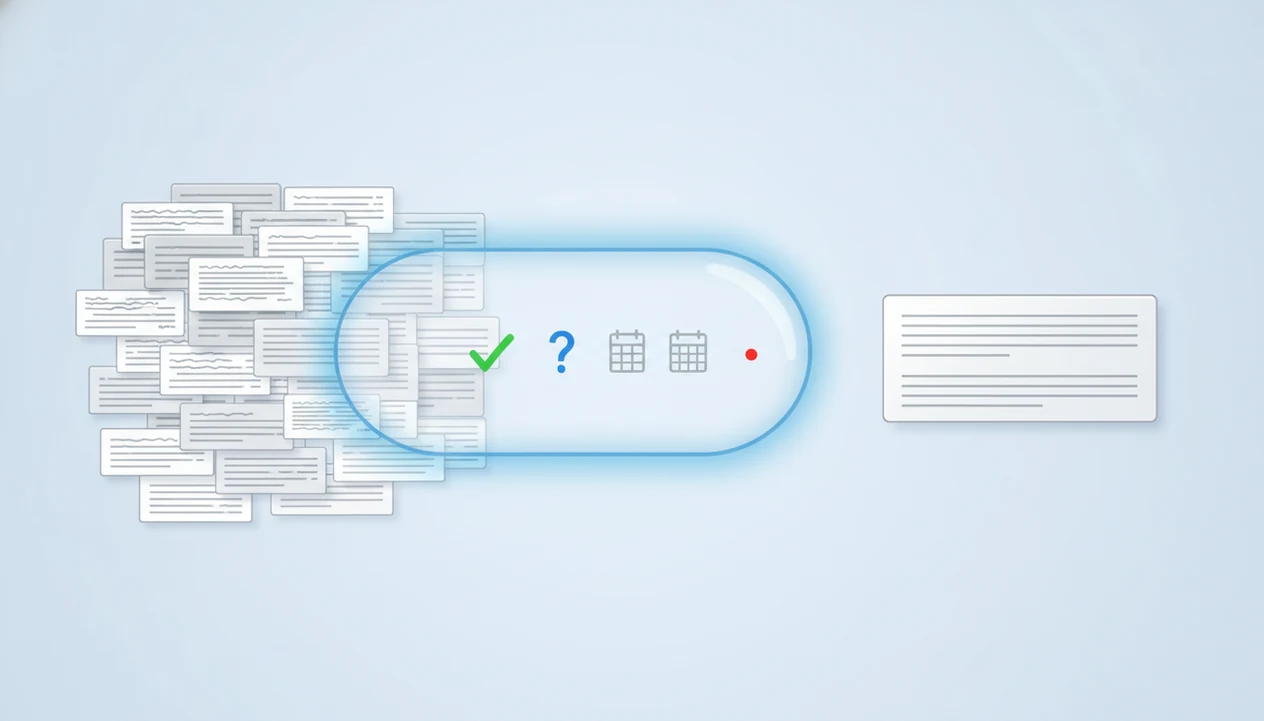
An email-first AI app can identify key points in email threads and help turn those points into a reply. It should summarize the thread, extract action items, questions, deadlines, and context, then help draft a polished response in the tone you choose. It summarizes the thread, extracts action items, questions, deadlines, and context, then helps draft a polished response in the tone you choose.
> Definition: An email key point app is an AI email summarizer that reads an email or thread, extracts the information you need to act on, and helps convert that context into a clear reply.
TL;DR
- Use an AI email summarizer when a thread is long, messy, or hard to answer quickly.
- Look for key point extraction, thread-aware context, action items, question detection, tone control, and reply drafting.
- Always review the summary and draft before sending, especially for sensitive, legal, financial, or compliance-heavy emails.
What an Email Key Point App Actually Identifies
An email key point app identifies the main requests, decisions, deadlines, questions, action items, and context inside an email thread. It answers the practical question, “What do I need to know before I reply?”
The better option is not just a short summary. It is an email thread reply assistant that can turn extracted points into a usable response. That matters when the original message disappears above your phone keyboard and you’re trying not to miss the one question buried in paragraph four.
Email-first tools focus on drafting, replying, and refining messages on web and mobile. Microsoft Copilot and general AI tools can summarize email too, but email-first tools are usually built around fast reply workflows, tone checks, and send-ready editing.
A good AI email writer and email generator for drafting, replying, and refining professional and personal emails on web and mobile should deliver context-aware drafts, not a “send without reading” shortcut.
Five Facts About AI Email Summarizer Apps
- AI email summarizers use large language models. They scan messages and extract requests, decisions, deadlines, questions, and other points that affect your reply.
- Strong tools can draft after summarizing. An email thread reply assistant uses the summary, your goal, and your preferred tone to create a draft you can edit.
- The biggest time savings show up in long threads and mobile replies. The benefit is clearer when you’re thumb-typing a client reply while standing in a grocery checkout line.
- Human review is still required. You need to check accuracy, tone, missing nuance, recipients, and attachments before sending.
- The strongest fit is usually an email-first workflow. For this query, the practical advantage is fast drafting, replying, tone control, and refinement without asking users to write detailed prompts from scratch.
For busy senders, summarizing the thread before drafting is often easier than starting from a blank reply box because it separates the ask from the surrounding noise.
Email Key Point Apps and the 28% Workweek Email Burden
Email key point apps matter because email takes a large share of the workweek. McKinsey Global Institute reported that professionals spend 28% of their workweek on email, making it one of the largest knowledge-work time sinks source.
Adobe’s 2019 Email Usage Study found that U.S. workers spend about 3.1 hours per workday on work email source. Pew Research Center reported in 2023 that 56% of U.S. workers use email at work every day source.
The burden is not just typing. It is skimming, rereading, finding unanswered questions, checking names, and composing a careful reply. On mobile, that gets slower because thread navigation and editing fight for the same small screen.
The pocket check is real.
How an AI Email Summarizer Works Behind the Scenes
An AI email summarizer works by parsing email text, identifying the thread structure, and ranking information by usefulness for the next action. The user provides a message or thread context, then the model looks for participants, chronology, repeated points, open questions, explicit asks, and deadlines.
Behind the scenes, large language models predict useful language patterns from the provided context. In plain terms, they estimate what information is most likely to matter for a reply. Actionability, recency, repeated emphasis, named owners, due dates, and unanswered questions usually receive more weight.
A reply assistant then combines the summary with your goal, tone, and must-include details. For example, you might copy three rough bullets from Apple Notes into the draft box before a meeting starts, then ask for a concise client update.
The model can still misread implicit context. It may miss hierarchy, sarcasm, or the quiet importance of a sentence that everyone on the team understands.
Before You Use an AI Email Summarizer
Before you use an AI email summarizer, make sure the message is safe to process and that you know what kind of reply you want. A cleaner, approved input gives the tool less room to guess and gives you a better draft to review.
- Check whether the email can be used with the tool under your company’s privacy, security, and AI-use rules. If the message involves legal, HR, finance, compliance, or client-sensitive details, use only approved internal systems.
- Remove private or confidential information the tool does not need, such as account numbers, personal identifiers, internal pricing, or unrelated side comments.
- Gather the facts that shape the reply, including deadlines, attachments, names, earlier decisions, and any context from the thread that may not be obvious in the latest message.
- Decide your reply goal before drafting, such as confirming a deadline, declining a request, asking for missing information, or giving a short status update.
- Review the final draft against the original thread before sending, especially when the reply affects money, timing, access, approvals, or trust.
What to Check Before Choosing an Email Thread Reply Assistant
Choose an email thread reply assistant by checking whether it understands the full conversation, not just the latest message. The app should summarize the thread, identify action items, show unanswered questions, and help you draft from that context.
Look for extraction of deadlines, names, decisions, attachments, and referenced files when available. Tone controls also matter. Professional, friendly, concise, warm, and firm are more useful than a generic “improve this” button.
Web and mobile usability should be part of the decision. A tool may work well at a desk but feel clumsy when your phone keyboard is open under a conference table.
Before using any third-party tool with work email, review privacy terms, company policy, and data-handling rules. Restricted client, HR, legal, finance, or compliance messages may need approved internal tools only.
How to Use an Email Key Point App for a Reply
Use an email key point app by moving from thread context to verified draft, not from AI output straight to Send. The safest workflow is paste, choose, refine, and review.
- Paste the email thread, latest message, or relevant context into the app so it can see more than one sentence.
- Review the extracted key points, including requests, deadlines, decisions, unanswered questions, and named people.
- Add your reply goal, missing facts, must-include details, and anything the thread does not clearly state.
- Choose the tone and length, such as professional, friendly, concise, warm, or firm.
- Edit the draft for accuracy, personal wording, attachments, recipients, and final intent before sending.
For mobile email, this process usually works best when the app keeps the summary and draft close together, because switching screens makes it easy to lose the original ask.
FlyMail Workflow for Email Key Points and Draft Replies
FlyMail is an AI email writer that drafts, replies to, and improves emails for professionals, job seekers, freelancers, support teams, founders, and non-native English speakers. It is built for email work rather than unrelated generic productivity tasks.
The workflow starts with context. You summarize or paste the message, clarify your reply goal, generate a draft, refine the tone, and improve the wording before sending. That can help when a project update is being written between client calls and the first version sounds too blunt.
On web and mobile, FlyMail is suited to professional and personal messages where the job is clear: understand the email, tighten the ask, draft the reply, and polish before sending. It is not meant to decide policy, approve commitments, or replace judgment on sensitive messages.
Common Mistakes With AI Email Summarizer Replies
The most common mistake is treating an AI summary as a replacement for reading critical emails. A summary is useful for orientation, but it can miss the sentence that changes the whole response.
Another mistake is sending the first draft without checking facts, tone, recipients, and attachments. The awkward pause before tapping Send often means something still sounds too cold, too broad, or too certain.
Users also get into trouble when they answer only the newest message and ignore the full thread. Earlier decisions, revised deadlines, and side questions may still matter.
Do not let the AI invent commitments, approvals, apologies, delivery dates, or legal positions. If the thread does not state it, the reply should not quietly add it.
Finally, avoid using third-party tools on restricted work emails until you understand company policy. Convenience is not a privacy review.
Best App Fit for Gmail, Outlook, iPhone, and Android Email
The right app depends less on whether you use Gmail, Outlook, iPhone, or Android, and more on whether the tool can ingest thread context and draft a reply. Compatibility matters, but reply quality starts with context.
| Platform or mailbox | What to check | Practical fit |
|---|---|---|
| Gmail | Workspace features, extensions, copy-paste flow, approved integrations | Good fit if the tool can read enough thread context |
| Outlook | Microsoft 365 policy, Copilot availability, browser or desktop workflow | Good fit for teams already inside Microsoft systems |
| iPhone | Fast mobile drafting, concise summaries, easy editing | Good fit when replies happen between meetings |
| Android | Mobile web or app usability, privacy settings, editing controls | Good fit for quick summaries and shorter replies |
| Workplace accounts | Admin rules and data access limits | May require approved tools only |
Workplace Microsoft 365 or Google Workspace policies may limit which AI tools can access email data. When access is restricted, a copy-paste workflow may still require approval.
Limitations
AI email summarizers are drafting aids, not final decision-makers. They can reduce rereading, but they cannot guarantee that a thread has been understood correctly.
- AI summaries can miss nuance, sarcasm, hierarchy, urgency, or unstated expectations.
- AI tools can hallucinate or infer commitments, deadlines, approvals, or apologies that were never stated.
- Very long threads with forwards, quoted text, and multiple participants can reduce accuracy.
- Sensitive legal, medical, financial, HR, or compliance-heavy emails require extra review.
- Privacy and data-handling practices vary by tool and may conflict with company policy.
- AI email summarizers do not fix unclear requests, weak subject lines, or overloaded communication culture.
- Attachments, linked documents, and side-channel conversations may be missing from the AI’s context.
Use the draft as a starting point. Then check the thread yourself, especially when the reply changes money, timing, access, obligations, or trust.
FAQ
What app summarizes email threads?
AI email summarizers and email-first tools like FlyMail can summarize threads and help draft replies from the extracted context. Users should still review the summary before sending any response.
Can Android summarize email threads?
Android users can summarize email threads with mobile-friendly AI email tools, browser tools, or approved workplace features. Choose an option that supports editing, privacy review, and clear summaries on a small screen.
Does Gmail summarize email threads?
Gmail-related summarization depends on account features, Google Workspace settings, integrations, or external AI tools. Availability can vary by plan, region, and administrator policy.
Does Outlook summarize email threads?
Outlook users may have summarization through Microsoft Copilot-style features, depending on account type, license, and organization settings. External tools may also work through approved integrations or copy-paste workflows.
What email app drafts replies?
An email thread reply assistant drafts replies after reviewing the thread context, your goal, and the tone you choose. A simple summarizer only condenses the message and may not create a send-ready draft.
Are AI email summaries accurate?
AI email summaries are useful but not always accurate. They can miss nuance, omit context, or invent details, so users must review the original thread.
Can iPhone summarize emails?
iPhone users can summarize emails with mobile web tools, AI email apps, or supported mailbox features. The best fit is a tool that keeps summaries short and makes edits easy on a phone screen.
Is AI email reading safe?
AI email reading safety depends on the tool’s privacy practices, company policy, data sensitivity, and user review. Avoid entering restricted or confidential email content into unapproved tools.