
AI Email Results After 30 Days of Better Prompts
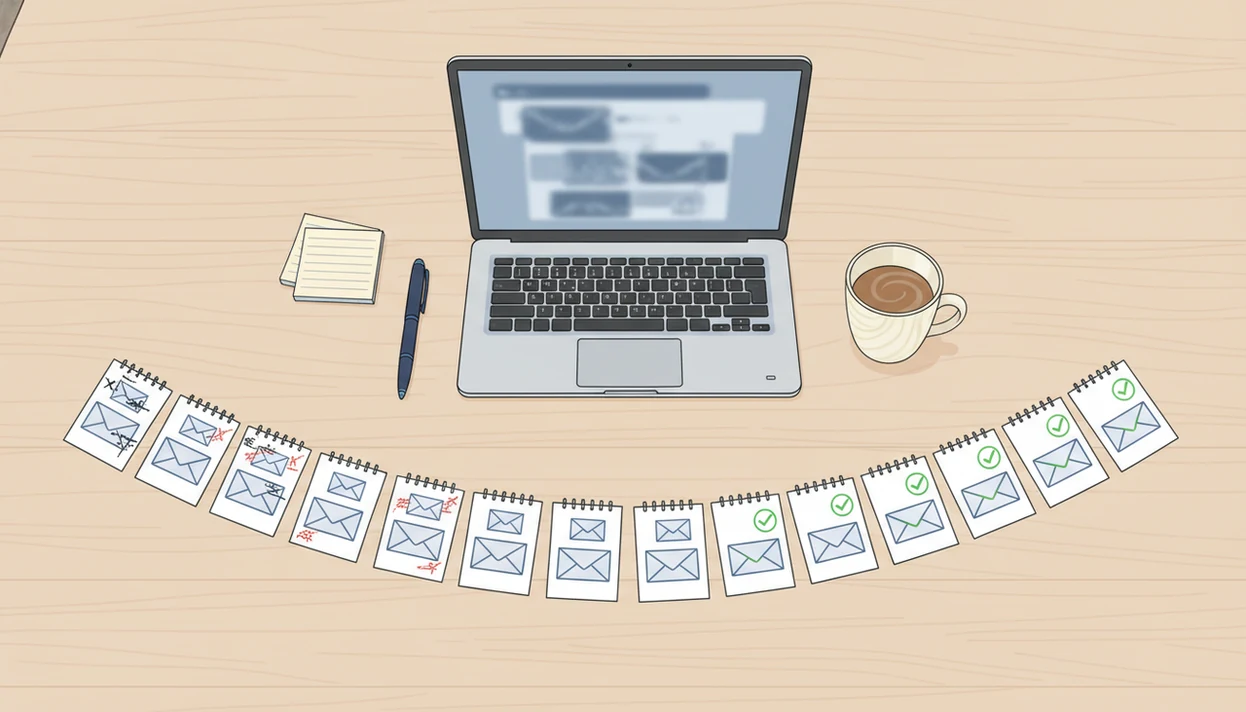
AI email results after 30 days are usually seen as faster first drafts, clearer tone, better reply habits, and less friction in routine email work, not guaranteed sales, promotions, or reply rates. The biggest gains come from using AI as a drafting copilot while still reviewing every message before sending.
> FlyMail is an AI email writer that drafts, replies to, and improves emails for professionals, job seekers, freelancers, support teams, founders, and non-native English speakers.
- The most realistic 30-day gains are speed, tone control, and more consistent review habits.
- Your baseline email load matters: someone spending hours a day in email will notice more than someone sending a few messages.
- Better prompts, saved instructions, and human review determine whether AI email writing results become useful or risky.
AI Email Results After 30 Days: The Realistic Baseline
After 30 days, realistic AI email results usually show up as faster drafting, clearer wording, more confidence, and stronger review discipline. They do not prove guaranteed reply rates, revenue, hiring outcomes, promotions, or repaired relationships.
Your baseline matters. A manager sending 40 messages a day will notice more change than someone answering three routine emails before lunch. Prompt quality matters too, especially when the email involves apologies, deadlines, pricing, or tension.
The awkward pause before tapping Send still matters.
Results depend on email volume, editing discipline, message sensitivity, and how often you reuse improved instructions. Tools like FlyMail can help draft, reply, and refine emails on web and mobile, but the useful outcome is send-ready, not send-without-reading. Good AI email writers and email generators for drafting, replying, and refining professional and personal emails on web and mobile deliver faster starting points, not judgment-free communication.
5 Facts About AI Email Writing Results After 30 Days
- AI email writers can draft full professional, friendly, or casual emails in seconds, but every message still needs human review before sending.
- Most measurable gains appear as time saved per email and lower inbox effort, not guaranteed external outcomes like sales, interviews, or agreement.
- Knowledge workers spend an average of 28% of the workweek on email, according to McKinsey Global Institute’s workplace communication analysis source.
- In an NBER field experiment on email-style writing tasks, generative AI users completed work 25% faster and produced output rated 40% higher quality source.
- Prompt quality and repeated correction over several weeks strongly shape AI email progress.
The practical takeaway is simple: for routine email, repeated prompt refinement is often more useful than changing tools every few days because the saved context improves the next draft. We see this when someone copies three rough bullets from Apple Notes into a draft box before a meeting starts, then reuses the better version next week.
How AI Email Progress Works Behind the Scenes
AI email progress works through a repeated prompt, draft, review, edit, and reuse loop. The model predicts useful wording from your prompt, the email context, the tone request, and any constraints you provide.
The light technical term is language modeling. In plain terms, the system chooses likely next words based on patterns in training and your instructions. It does not truly understand your client history, HR risk, legal exposure, or the argument behind a short sentence unless you explain it.
Progress improves when you save tone rules, role context, examples, and common reply patterns. A prompt like “reply warmly” is thin. A prompt like “reply as a project manager, confirm Friday delivery, avoid blame, and ask for the missing file” gives the draft a job. On a phone screen, this also helps with the tiny problem of losing the original email while rewriting the reply.
How to Use AI Email Writing for 30-Day Progress
Use a simple 30-day routine if you want email productivity after 30 days to be visible instead of guessed. The routine should measure time, repeat common prompts, and force review before sending.
- Set your baseline email time, common email types, and tone goals before changing your workflow.
- Save reusable prompts for replies, follow-ups, apologies, scheduling, job search, support, and client messages.
- Draft first versions and replies in FlyMail instead of starting from a blank page.
- Review facts, tone, names, commitments, attachments, and sensitive wording before sending.
- Reset weekly by comparing time saved and quality issues, then update prompts that caused extra edits.
A good prompt library sounds ordinary: “Follow up Monday,” “Invoice reminder,” “Recruiter reply.” That is the point. The most reliable 30-day improvement comes from making repeat emails easier to start and safer to polish.
30-Day AI Email Method We Tracked
This is a practical measurement framework, not a controlled clinical, academic, or peer-reviewed study. It is meant to help a user judge whether AI email writing results are actually showing up in daily work.
Track baseline daily email time, drafted emails, time per draft, rewrite frequency, tone edits, and risky corrections caught before sending. Separate low-stakes messages from high-stakes ones, including legal, HR, negotiation, financial, disciplinary, or sensitive customer communication. A calm support reply under a red timer is different from a termination note.
| Checkpoint | What to measure | What to look for |
|---|---|---|
| Day 1 | Baseline email time, draft time, common message types | Where blank-page delays happen |
| Day 15 | Draft count, rewrite frequency, tone edits | Whether saved prompts reduce friction |
| Day 30 | Time per draft, quality issues caught, risky corrections | Whether speed improved without lowering review quality |
For support-heavy teams, an app to help me reply to customer complaints can be measured with the same low-stakes versus high-stakes split.
AI Email Results Story: The Busy Manager
Maya is a manager handling status updates, scheduling, client replies, and team clarifications. After 30 days, her biggest change is not dramatic. She starts fewer emails from nothing.
She turns bullet notes into polished replies and meeting summaries. A browser tab split between inbox and notes becomes a workable drafting setup instead of a stall point. Her status updates get shorter, and her client replies sound less rushed.
The pressure is still there.
Maya’s main gain is fewer blank-page delays and more consistent tone when the day is crowded. However, complex people-management emails still need human judgment. If a message involves performance, conflict, or a promise the company must keep, she edits slowly and checks the wording twice.
AI Email Results Story: The Job Seeker
Luis is a job seeker writing follow-ups, recruiter replies, thank-you notes, and networking messages. After a month, his AI email progress shows up as clearer structure and less anxiety about grammar, especially when he writes in English after thinking in another language.
An interview thank-you written on the bus still needs personal detail. AI can shape the note, but Luis adds the interviewer’s product question and the role title himself. For application emails, a job application email generator can help organize the message, not create truth that is not there.
AI does not guarantee responses, interviews, or offers. Personalization and truthful details still matter more than polished wording alone. A generic message with perfect grammar is still generic.
AI Email Results Story: The Freelancer
Priya is a freelancer handling proposals, scope clarifications, invoice reminders, and client updates. Her 30-day result is more consistent follow-through, not guaranteed revenue.
Saved prompts help her write uncomfortable messages without turning them into essays. Proposal bullets beside a project brief become a tighter scope note. An overdue payment reminder becomes firm without sounding irritated. For repeat billing messages, an invoice reminder email generator can reduce the friction of writing the same careful note again.
Still, pricing, scope, deadlines, and contractual language need manual checking. AI can make a follow-up easier to send, but it should not decide what a client agreed to pay. That part belongs in the contract, the brief, and the sender’s review.
5 Common AI Email Productivity Patterns After 30 Days
Faster first drafts. Routine messages usually move faster because the user starts from a usable draft instead of a blank page.
Improved tone control. Users often get better at asking for professional, friendly, concise, warm, or firm wording without rewriting the whole message.
More consistency from saved prompts. Reusable reply instructions reduce decision fatigue, especially for follow-ups, scheduling, and customer updates.
A plateau after early gains. The first two weeks may feel faster; by day 30, many users reach a steadier workflow.
Better results for repeatable emails. AI tends to help more with recurring messages than with sensitive, novel, or strategic communication.
Microsoft reported that early Copilot users were 29% faster on searching, writing, and summarizing tasks source. That lines up with what many email users notice: repeat work improves first. The phone keyboard open under a conference table is still cramped, but the first draft appears sooner.
What AI Email Results After 30 Days Do Not Show
Do AI email results after 30 days prove better reply rates, sales, promotions, or relationships? No. A month can show changes in drafting speed, review habits, and tone consistency, but it cannot prove those bigger outcomes.
Better wording may help communication, but it cannot fix poor targeting, weak offers, bad timing, or damaged trust. A polished cold email sent to the wrong person still misses. A warmer apology that avoids responsibility still fails.
Saved time can also disappear. If you use the extra minutes to check the inbox more often, productivity may not improve. AI can encourage over-sending too, because easier drafting makes unnecessary messages feel cheaper. The healthier test is whether fewer messages do more work.
Limitations
AI email writing has real limits, and 30 days is too short to prove broad life or business outcomes.
- There is no rigorous peer-reviewed study specifically measuring AI email results after 30 days.
- AI email tools can generate confident but inaccurate statements, missing context, or commitments you did not intend.
- Sensitive HR, legal, medical, financial, negotiation, disciplinary, and customer-escalation emails require careful human review.
- AI may amplify bad email habits, including over-emailing, long replies, vague follow-ups, or unnecessary “just checking in” messages.
- Results vary by baseline email volume, prompt skill, editing discipline, internet connectivity, model updates, and usage limits.
- Privacy and data handling policies matter. OpenAI states API inputs and outputs may be retained for up to 30 days to identify abuse unless a customer has an approved exception source.
- Mobile workflows can save time, but small screens make it easier to miss names, dates, attachments, or the original sender’s exact ask.
Tools such as ChatGPT, Grammarly, Microsoft Copilot, and other AI writing tools should be treated as drafting aids. Human review is the safety layer.
Read more
FAQ
Do AI email writers save time on routine emails?
Yes, AI email writers can save time on drafts and rewrites, especially for repetitive messages. Results vary by email volume, prompt quality, and review habits.
What improves after 30 days of AI email writing?
Common improvements include faster first drafts, clearer tone, better reusable prompts, and stronger review habits. Many users also feel less friction starting routine replies.
Will AI email writing improve my reply rates?
AI may improve clarity and tone, but it cannot guarantee higher reply rates. Audience fit, timing, offer quality, and relationship history still matter.
Can an AI email writer match my personal tone?
An AI email writer can approximate your tone when you provide examples and specific instructions. You still need to edit wording that sounds too formal, cold, or generic.
Should I review every AI-written email before sending?
Yes, every AI-drafted email should be reviewed for facts, context, tone, names, attachments, and sensitive wording. Send-ready does not mean send-without-reading.
Is AI safe to use for work emails?
AI can be useful for routine work emails if your organization’s privacy rules allow it. High-stakes, confidential, or regulated topics need extra caution.
How do prompts affect AI email results?
Specific prompts with audience, goal, tone, context, and constraints usually produce better emails. Vague prompts often require more rewriting.
When should I avoid using AI for email?
Avoid AI, or review heavily, for legal, HR, confidential, disciplinary, financial, and emotionally sensitive messages. These emails depend on context and judgment that AI may not have.