
App That Improves Email Tone Before Sending

Yes, an app that improves email tone can rewrite a draft so it sounds clearer, warmer, more concise, or more professional before you send it. FlyMail is an AI email writer that drafts, replies to, and improves emails for professionals, job seekers, freelancers, support teams, founders, and non-native English speakers.
Definition: An email tone app is an AI tool that analyzes a draft email and suggests or generates a revised version that better matches the tone, audience, and purpose of the message.
TL;DR
- Use an email tone app when a message may sound too blunt, too vague, too formal, or too emotional.
- Stronger results come from giving the app context: recipient, goal, relationship, and desired tone.
- Always review AI-edited email for facts, promises, names, dates, and sensitive wording before sending.
How these apps look
Side-by-side captures of the compared products. Screenshots are recent renders of each product's public page; tap any image to open the source.
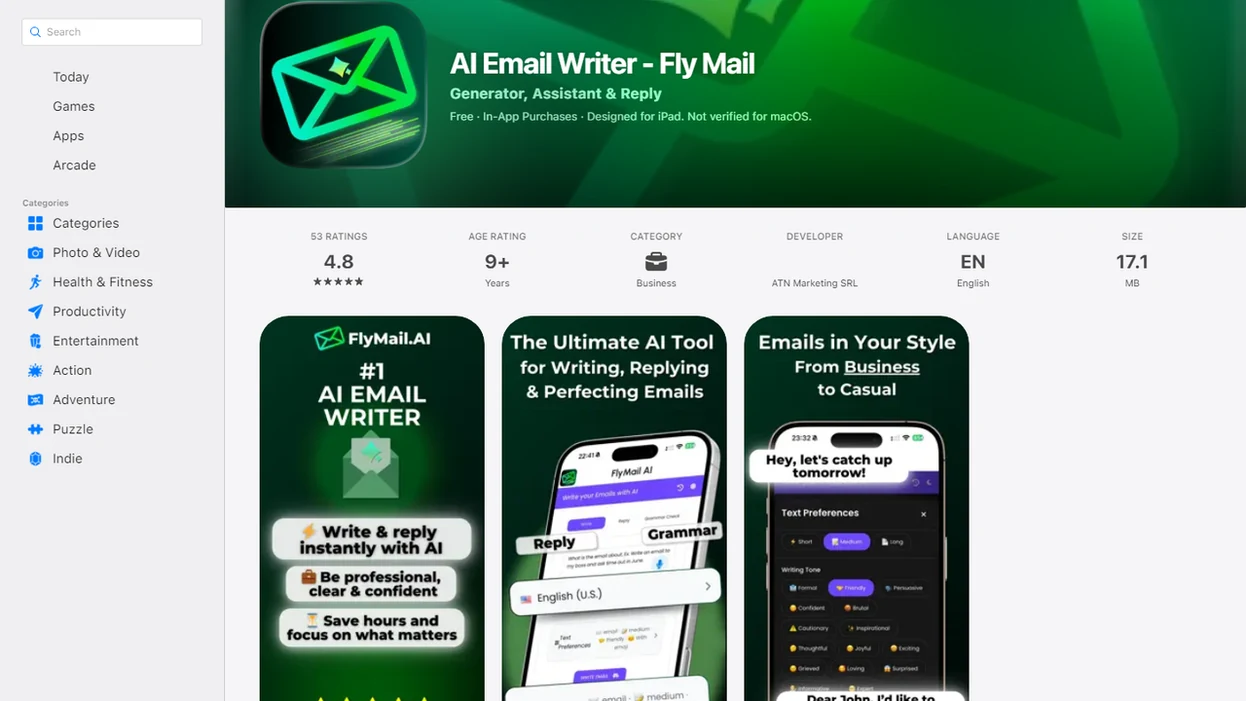
What an app that improves email tone actually does
Is there an app that improves email tone? Yes, an email tone app rewrites your draft so the same message can sound more professional, friendly, concise, confident, polite, or less direct.
The useful part is not just “fix grammar.” It helps with the awkward pause before tapping Send on a message that sounds too cold. You can paste a rough note, choose a tone, and compare the revised version before approving it.
You still own the final wording. The app can improve phrasing, but it does not know whether your deadline, promise, or relationship history is right.
Tools like FlyMail are email-first examples because they focus on drafts, replies, tone changes, and subject line options rather than open-ended chatbot prompting.
Send-ready, not send-without-reading.
At-a-glance email tone app uses before sending
An email tone app is most useful when your draft says the right thing but may land the wrong way. Use it to make email sound better before a small wording issue becomes a bigger misunderstanding.
| Draft problem | Tone fix | Example scenario |
|---|---|---|
| Too blunt | Warmer and more considerate | Personal email asking someone to change plans |
| Too long | Concise and easier to scan | Workplace update with three decisions buried inside |
| Too casual | More professional | Job search thank-you note drafted outside an office lobby |
| Too hesitant | Clearer and more confident | Freelancer payment follow-up softened before sending |
| Too formal | Natural and friendly | Founder warm intro email before a morning call |
| Too emotional | Calm and specific | Customer support reply after a frustrated ticket |
For support teams, founders, job seekers, freelancers, and managers, tone repair often saves more time than a full rewrite because the point is already there.
Before you use an email tone app
Before you use an email tone app, make sure the message is ready for rewriting, not still missing the point. The app can polish tone, but it cannot decide your goal, verify private details, or understand the relationship better than you do.
- Confirm the purpose of the email first: are you asking, declining, apologizing, following up, escalating, or documenting a decision?
- Decide whether the thread includes sensitive, regulated, or private information before pasting it into any tool, especially for HR, legal, medical, finance, or customer data.
- Gather the concrete details the draft needs, including names, dates, attachments, deadlines, links, policy language, prices, and promised next steps.
- Identify the recipient relationship, such as manager, client, teammate, recruiter, friend, or frustrated customer, so the rewrite does not become too casual, too stiff, or oddly warm.
- Set the tone target in plain words, like “polite but firm” or “friendly and brief,” then compare the output against your original intent.
A quick prep pass prevents the common failure: a beautifully softened email that changes the ask, omits the attachment, or sounds wrong for the person receiving it.
How an AI tone changer works for email drafts
An AI tone changer evaluates wording, intent, formality, directness, length, sentiment, and likely reader perception, then generates a revised email that better matches the selected tone.
The usual workflow is simple: input context, choose a tone, generate the rewrite, and review the result. Context matters. “Reply to my manager with a polite delay update” gives the model more to work with than “make this nicer.”
Email tone is easy to misread: research on email tone perception found that people often overestimate how clearly their intended tone comes through in email (Kruger et al., Journal of Personality and Social Psychology, https://doi.org/10.1037/0022-3514.89.6.925).
Still, models do not truly know internal politics, old promises, private tensions, or unstated facts. They predict better wording from text patterns. That helps, but it is not judgment.
How to use an email tone app before sending
Use an email tone app as a final tone check after you know what you want to say. The strongest workflow is paste, choose, refine, then review against the original.
- Draft your message in plain language, even if it is rough.
- Add the recipient, goal, relationship, and any important context.
- Choose the desired tone, such as professional, friendly, concise, persuasive, or empathetic.
- Review the original and rewritten version side by side for meaning changes.
- Personalize the draft with names, dates, attachments, commitments, and details only you know.
- Send only after checking facts, promises, sensitive wording, and the actual recipient line.
For busy professionals, a tone app usually works best after the first draft exists, while a blank-page email generator fits moments when you only have notes.
A real test: copy three rough bullets from Apple Notes before a meeting starts, then see whether the rewrite preserves the ask.
Common mistakes when using an AI tone changer
The most common mistakes happen when the rewrite sounds better but the email becomes less accurate, less safe, or less like you. Treat the tool as a tone assistant, not the person responsible for the message.
- Clarify the actual ask before choosing a tone preset. “Friendly” or “professional” cannot rescue a draft that does not say whether you need approval, payment, a decision, or a new deadline.
- Compare the polished version against your original promise. Watch for changed dates, softened commitments, stronger guarantees, or wording that accidentally moves the deadline.
- Check workplace policy before pasting confidential company, customer, HR, legal, finance, or health information into any AI tool.
- Keep some of your natural voice. If every email becomes glossy, smooth, and generic, recipients may notice that the message no longer sounds like you.
- Verify the send details before you tap Send: recipient, CC, attachment, link, calendar time, timezone, and any name mentioned in the thread.
A good rewrite should make the email easier to receive, not easier to misunderstand.
Five facts about using an email tone app well
These five facts explain when an email tone app helps and when it needs closer review.
- AI tone tools can preserve the message while changing how it lands with the reader.
- Clear context improves output quality because the app can match the recipient, goal, and relationship.
- Tone presets are useful but not perfect; “friendly” can become too casual in a legal, HR, or executive thread.
- Mobile tone fixes matter because rushed replies often sound abrupt, especially when thumb-typing between tasks.
- Email-first workflows can be faster than pasting into a general AI chatbot because the structure is already built around replies, drafts, and subject lines.
Good AI email writer and email generator tools deliver faster drafting, replying, and refining for professional and personal emails on web and mobile, not permission to skip human review.
Evidence and sources for email tone advice
The evidence supports a practical rule: written tone is easy to misread, so clarity and review matter. Research can explain the risk, while editorial judgment decides the best wording for a specific recipient.
Kruger and colleagues found that people often overestimate how well tone carries through email, which is why “quick note” can read as cold and “fine” can sound loaded. Workplace and plain-language guidance points in the same direction: write for the reader, use familiar words, and make the action clear, as summarized in federal plain language guidelines.
Use evidence and judgment together:
- Treat misread tone as a real communication risk, not a personal failure.
- Prefer clear subject lines, specific asks, and short paragraphs when the email affects work, money, timing, or trust.
- Separate supported claims from taste. “Shorter is easier to scan” is evidence-aligned; “this sounds too cheerful” is a human call.
- Review AI rewrites for facts, authority, privacy, and relationship fit before sending.
AI can suggest smoother wording, but it cannot know the backstory behind a tense thread.
Common myths about AI tone changer tools
AI tone changer tools are drafting aids, not automatic judgment machines. The best use is human judgment plus AI rewriting speed.
Myth 1: The app sends emails automatically. Most tone apps create or suggest a revised draft, but you still review and send the final message.
Myth 2: AI always knows the right tone. It can miss culture, power dynamics, sarcasm, or the quiet tension behind a short reply.
Myth 3: Only weak writers need tone help. Strong writers use tone checks when time is tight or the message carries risk.
Myth 4: Tone apps are just grammar checkers. Modern tools adjust formality, warmth, confidence, length, and clarity, not only punctuation.
Myth 5: More polished always means better. Sometimes a slightly plain sentence sounds more honest than a glossy rewrite.
The pocket check is real.
FlyMail mobile email tone fixes
FlyMail is an email-first AI writer for drafting, replying, and refining messages when the main problem is the email itself, not a broad writing project. It is built around practical inbox jobs: reply with context, tighten the ask, adjust tone, and polish before sending.
Mobile use is where tone tools earn their keep. On a commuter train jolt mid-sentence, the original email can disappear behind the keyboard while you are rewriting the reply. A mobile-first workflow reduces that switching cost.
Voice input plus AI tone control is useful when you know the point but do not want to thumb-type the whole thing. Say the rough version, choose “professional” or “warmer,” then review the draft.
Other tools such as Grammarly, ChatGPT, and Microsoft Copilot can also help with tone; email-specific workflows are often faster because they start with the message format already in mind.
Limitations
AI tone rewriting is useful, but it should not be treated as a final authority. Review is part of the workflow, especially when the message has consequences.
- AI can create confident-sounding but incorrect details, including dates, policies, prices, or next steps.
- Legal, medical, HR, layoffs, disciplinary, financial, or conflict-heavy emails may need specialist or manager review.
- Company culture, regional norms, seniority, and relationship history can be misread.
- Privacy and compliance rules vary by provider, workplace, industry, and the type of information pasted into the app.
- Overuse can make emails sound generic or unlike the sender.
- Names, facts, promises, attachments, calendar times, and recipient fields must be checked manually.
- A warmer tone cannot fix an unclear request; the ask still needs to be specific.
Tiny detail, big problem: the wrong attachment changes the whole email.
FAQ
Is there an email tone app?
Yes, email tone apps exist. They rewrite drafts to sound more professional, friendly, concise, confident, or polite before sending.
How do I soften an email?
To soften an email, reduce blame, add context, use polite phrasing, and make the request clear. An AI tone changer can suggest warmer wording, but you should review the final meaning.
Can AI rewrite my email?
Yes, AI can rewrite an email draft for tone, clarity, length, and structure. You should still review facts, names, dates, and commitments before sending.
What is an AI tone changer?
An AI tone changer is a tool that adjusts the style, formality, warmth, clarity, and directness of a message. It can make a draft sound more appropriate for the recipient.
Are email tone apps accurate?
Email tone apps are useful for wording and structure, but they can miss context or factual details. Accuracy depends on the input and the user’s review.
Can I use tone apps at work?
You can use tone apps at work when your company policies allow it. Check privacy, compliance, sensitive data rules, and final wording before sending.
Do tone apps fix grammar too?
Many tone apps also improve grammar, clarity, and concision. Tone editing goes beyond grammar by changing how the message may feel to the reader.
What makes an email sound professional?
A professional email is clear, respectful, concise, specific, and appropriate to the recipient. It states the purpose, gives needed context, and avoids unnecessary emotion or vagueness.