
Check Email Before Sending With AI for Safer Replies
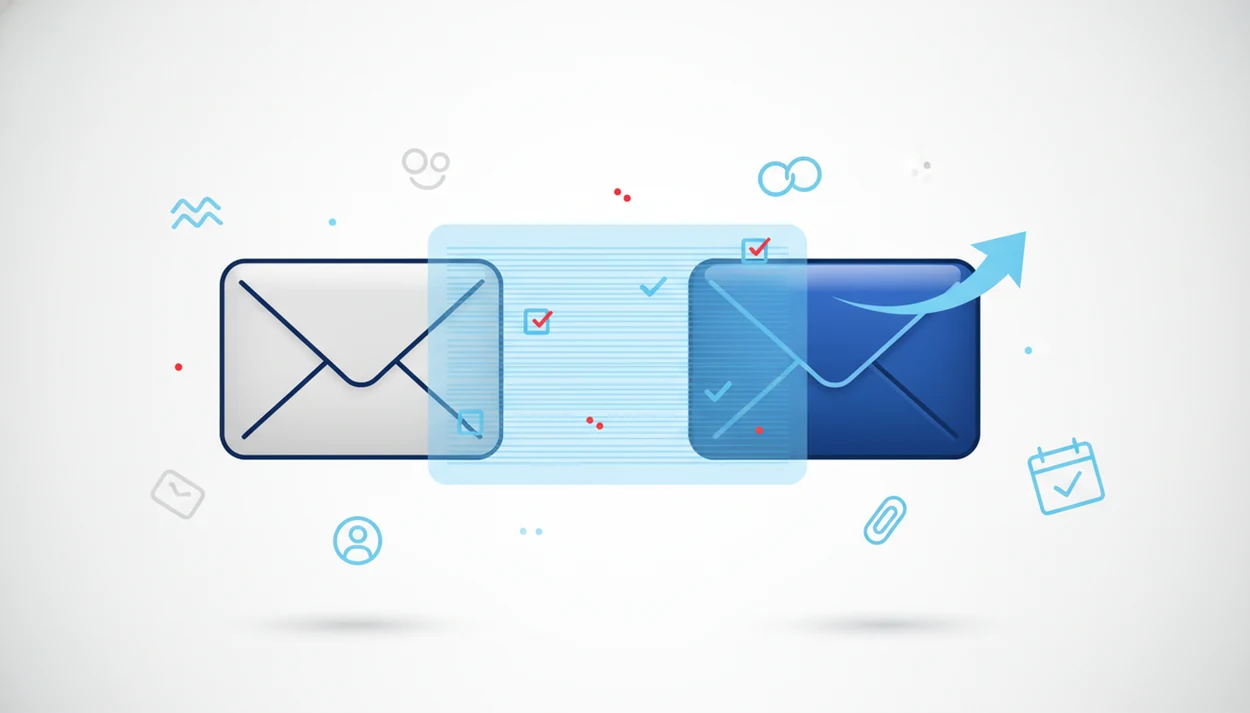
Use an AI review pass when you need to check email before sending with AI, especially for messages where tone, clarity, missing context, or accidental overpromising could cause problems. The safest workflow is to let AI flag issues, revise the draft, then do one human reread before you hit send.
Definition: An AI email checker is a pre-send review tool that scans a draft for tone, clarity, grammar, structure, missing details, and wording risks before the email is sent.
TL;DR
- AI can catch unclear tone, awkward wording, missing context, and weak calls to action faster than a manual proofread alone.
- A strong pre-send email review checks recipients, subject line, attachments, links, facts, tone, and the final ask, not just spelling.
- AI review is helpful, but sensitive legal, HR, financial, emotional, or confidential emails still need human judgment.
AI Email Checker Definition for Pre-Send Email Review
An AI email checker is a pre-send review tool that scans a draft for tone, clarity, grammar, structure, missing details, and wording risks before the email is sent.
The key phrase is “pre-send.” AI review is a second-pass quality check, not a replacement for the person who owns the message. It can flag a cold apology sentence, a vague “let me know,” a missing attachment reference, or a call to action that hides near the bottom.
A good ai email writer and email generator for drafting, replying, and refining professional and personal emails on web and mobile should help create send-ready drafts, not send-without-reading messages.
FlyMail is an AI email writer that drafts, replies to, and improves emails for professionals, job seekers, freelancers, support teams, founders, and non-native English speakers. The same review habit applies on desktop, phone, or tablet, whether you’re answering a client, recruiter, teammate, landlord, or school office.
At-a-Glance Email Review Checklist Before Sending
Use this email review checklist when the message matters: check the recipient, subject line, context, ask, tone, attachments, links, dates, names, and promises before sending.
AI-checkable items:
- Is the tone professional, warm, firm, or concise enough for the situation?
- Is the main ask clear in the first few lines?
- Does the draft include enough context for the reader to act?
- Are sentences too long, blunt, vague, or repetitive?
- Does the subject line match the actual message?
Human-only judgment items:
- Is every recipient supposed to see this?
- Are the dates, numbers, names, prices, links, and attachments correct?
- Are you promising something your team can actually do?
- Is the relationship context right?
For high-stakes replies, AI review is often faster than rereading from scratch because it gives you a marked-up second opinion before your final judgment. The awkward pause before tapping Send still matters. Keep it.
Five Facts About Checking Email Before Sending With AI
- AI can scan spelling, grammar, tone, and clarity issues before an email leaves your outbox.
- A complete pre-send email review includes the subject line, recipients, links, attachments, tone, and call to action.
- AI works better when you give specific instructions, such as “make this concise, professional, and clear without changing the meaning.”
- Human review is still needed for sensitive legal, HR, financial, emotional, confidential, or reputation-heavy messages.
- AI review now appears in Outlook Copilot, Gemini in Gmail, and dedicated tools such as FlyMail for drafting, replying, rewriting, and checking emails.
Specific instructions matter. A vague “fix this” prompt may flatten the message, but a focused tone check can preserve your point. If you need help drafting the reply before reviewing it, a tool that can generate email replies can be useful before the final pass.
Why Pre-Send Email Review Reduces Miscommunication Risk
Why does pre-send email review reduce miscommunication risk? It slows down the moment between writing and sending, which is where unclear tone, missing context, and accidental overpromising often slip through.
Email load is measurable: McKinsey has reported that knowledge workers spend about 28% of the workweek reading and answering email (https://www.mckinsey.com/industries/technology-media-and-telecommunications/our-insights/the-social-economy), and Microsoft’s 2023 Work Trend Index found that 64% of workers struggle to find enough time and energy to do their jobs because of digital debt (https://www.microsoft.com/en-us/worklab/work-trend-index/will-ai-fix-work).
Small errors travel fast.
A pre-send review helps protect professional trust because it catches friction before the reader has to. If the first message is clear, there are fewer “just clarifying” follow-ups. That matters when an investor update is drafted between meetings or a manager is scanning replies before a 3 p.m. decision.
How an AI Email Checker Works Behind the Draft
An AI email checker reads the draft, identifies patterns in wording and structure, and predicts how a likely reader may interpret the message. It uses language modeling, which means it estimates the next useful word, phrase, or revision based on patterns learned from text.
In practical terms, the tool checks grammar, tone, clarity, concision, missing context, and actionability. It may suggest a clearer subject line, move the ask upward, soften a blunt sentence, or flag a promise that sounds too broad.
But it does not inherently know what is true.
AI may not verify whether the meeting date, contract amount, discount, deadline, or customer name is accurate. Privacy also depends on the tool and settings. For sensitive drafts, follow your employer’s approved-AI policy and treat privacy, data retention, and access controls as part of the review process. NIST’s AI Risk Management Framework recommends managing AI risks across data, governance, measurement, and monitoring rather than assuming the model output is safe by default (https://www.nist.gov/itl/ai-risk-management-framework). Content may be processed locally, inside a workplace system, or on external servers. For confidential messages, check the data flow before pasting the draft.
How to Use AI for a Pre-Send Email Review
Use AI for a pre-send email review by giving it the draft, naming the risk, reviewing the suggested edits, and verifying every factual detail yourself.
- Open the draft or paste it into your AI email checker.
- Set the goal, such as a concise reply, warmer apology, firmer boundary, or clearer client update.
- Ask for a targeted review: “Review this email for tone, clarity, missing context, and overpromising. Keep it concise and professional.”
- Compare the edits against your original meaning, especially if the message involves approvals, money, deadlines, or expectations.
- Verify facts, attachments, links, recipients, and tone, then send only after one final reread.
A dedicated pre-send checker can fit this workflow when you need drafting, replying, rewriting, and checking on web or mobile. Copying three rough bullets from Apple Notes into a draft box before a meeting starts is normal. The review step keeps those bullets from becoming a confusing message.
AI Email Checker Prompts for Safer Replies
Better instructions produce better review output because the tool knows what kind of risk to look for. Use prompts that name the tone, audience, and constraint.
Concise professional tone: “Review this reply for clarity and professionalism. Cut filler, keep the meaning, and make the ask obvious.”
Warmer tone: “Make this sound more appreciative without adding enthusiasm I did not express.”
Firmer tone: “Make this reply clear and firm, but not aggressive. Do not add new commitments.”
Missing context: “Tell me what information a reader may need before they can act on this email.”
Client-safe wording: “Flag any wording that sounds like an unsupported promise, guarantee, or unclear deadline.”
Non-native English refinement: “Improve grammar and natural phrasing while keeping my direct, simple style.”
Do not ask AI to invent facts, soften real constraints, or promise outcomes you cannot control. The safer prompt is usually the narrower one.
Gmail, Outlook, and FlyMail Options for AI Email Review
Gmail, Outlook, and dedicated AI email tools can all support pre-send review, but the right choice depends on where you already write and what kind of messages you send.
Feature availability changes by account and plan, so verify current Gmail Gemini support in Google’s Workspace documentation (https://support.google.com/a/users/answer/14117753) and Outlook Copilot support in Microsoft’s documentation (https://support.microsoft.com/en-us/office/draft-an-email-message-with-copilot-in-outlook-3eb1d053-89b0-418c-8a2e-746015238d9b).
| Option | Best fit | Main advantage | Workflow location | Caution |
|---|---|---|---|---|
| Gemini in Gmail | Gmail users who want review inside the inbox | Drafting and refinement near the message thread | Gmail web and supported mobile experiences | Availability depends on account, plan, and settings |
| Copilot in Outlook | Microsoft 365 users working in Outlook | Context-aware drafting inside a workplace email system | Outlook and Microsoft 365 apps | Workplace policies may limit use or data access |
| FlyMail | People who draft, reply, rewrite, and check across web and mobile | Focused email workflows for tone, replies, subject lines, and mobile productivity | Web and mobile email drafting flow | Final review is still the sender’s responsibility |
No single tool fits every inbox. If you mostly work inside Outlook, staying there may reduce switching. If you thumb-type replies from a phone, a mobile-first checker may feel less clumsy.
Common AI Email Checker Mistakes to Avoid
The biggest mistake is assuming AI makes every email safe automatically. It can improve wording, but it can also over-polish your message, change the meaning, or remove the relationship context that made the reply sound like you.
Watch for generic voice. A sentence that reads well in isolation may sound strange to a longtime client who expects short, direct updates. AI can also make a firm escalation too soft, an apology too wordy, or an approval sound broader than intended.
Short emails deserve care too.
Approvals, escalations, apologies, invoice reminders, and “yes, proceed” replies can carry more risk than long status updates. A deleted exclamation point in a client reply may be the right edit, or it may make the message sound irritated. The final human reread catches that relationship-level signal.
Verification Pass for Attachments, Links, Facts, and Tone
AI can improve wording, but it may not validate facts, dates, numbers, names, deadlines, file contents, or promises. Your final verification pass should be mechanical and boring on purpose.
Use this sequence before sending: recipient, subject, attachment, links, names, dates, numbers, ask, tone, send. Open the attachment if the email mentions one. Click the link if the link matters. Recheck the name if you copied text from another thread.
Tiny errors feel larger in email.
Clear subject lines and honest wording also help AI-filtered inboxes summarize and prioritize messages more accurately. A subject like “Contract PDF attached for signature by Friday” is easier for both humans and inbox assistants than “Quick update.” For busy readers, clear structure reduces follow-up corrections and makes the next action easier to take.
Limitations
AI email review is useful, but it has real boundaries. Treat it as a drafting aid, not a final authority.
- AI can misinterpret context and subtly change meaning, especially in relationship-heavy threads.
- AI is not legal, compliance, HR, financial, or ethical review.
- Confidential content may create privacy concerns when processed by third-party systems.
- Generic wording can make your email sound less authentic or less tied to the relationship.
- Overreliance can weaken your own writing judgment over time.
- AI may not catch wrong facts, outdated prices, incorrect dates, or missing attachments.
- Sensitive or high-stakes emails still need manual review, and sometimes specialist review.
If an email could affect someone’s job, money, legal position, safety, or trust in you, slow down. Use AI to tighten the draft, then review it like the sender of record. Because you are.
FAQ
Can AI check my email?
Yes. AI can review email drafts for tone, grammar, clarity, structure, and missing context before you send them.
Is an AI email checker safe?
An AI email checker can be safe for ordinary drafts, but safety depends on the content, tool privacy settings, and whether you reread the final version. Avoid pasting confidential or regulated information into tools you have not approved.
Can AI check Gmail drafts?
Yes, Gmail users may use Gemini where available or copy a draft into another AI email checker. Access and privacy controls depend on the account type and settings.
Can AI check Outlook emails?
Yes, Outlook users may use Copilot where available or another AI email assistant to review drafts before sending. Workplace Microsoft 365 policies may affect what is allowed.
What should I check before sending?
Check the recipient, subject line, attachments, links, facts, dates, names, tone, and call to action. For important messages, also check whether the promise or request is realistic.
Does AI fix email tone?
AI can suggest tone changes such as warmer, firmer, more concise, or more professional wording. The sender should confirm the final version still fits the relationship.
Can AI check short replies?
Yes. Short replies can benefit from AI review when they are high-stakes, emotional, easy to misread, or tied to an approval.
Should I reread AI edits?
Yes. Always reread AI-edited emails because facts, meaning, tone, or personal voice can shift during revision.