
Tool That Can Generate Email Replies From Notes
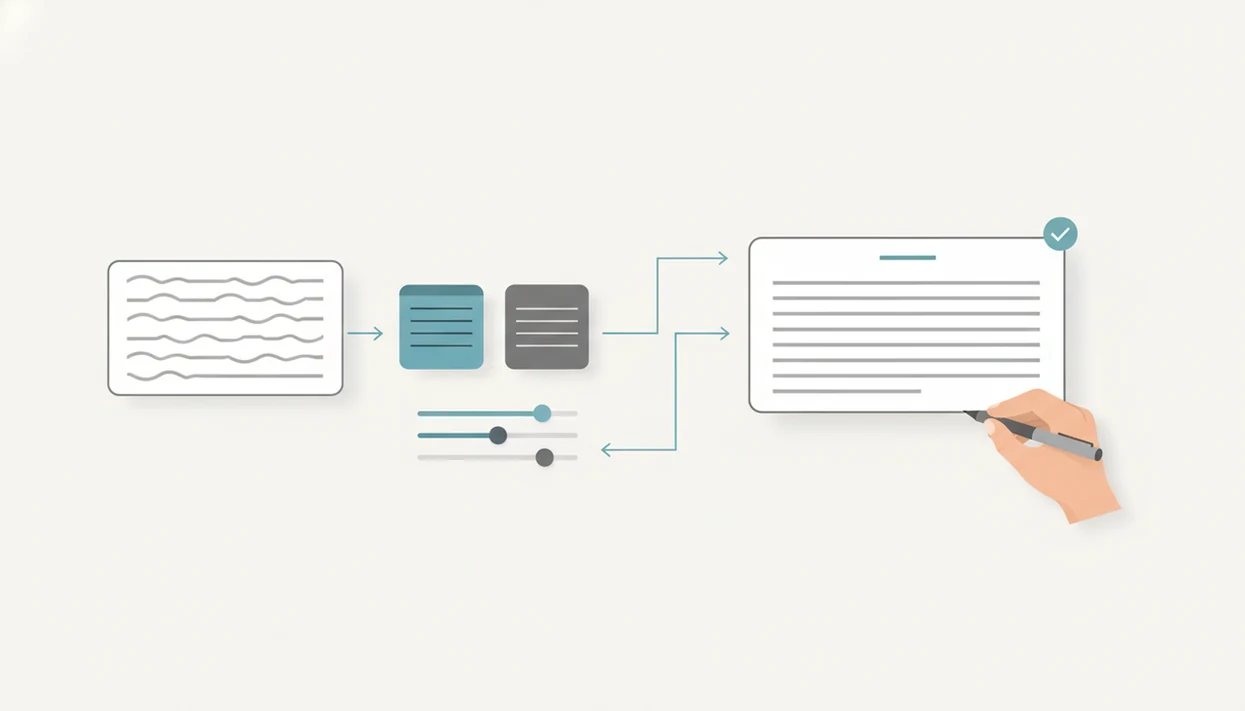
A tool that can generate email replies turns an incoming email, short notes, and tone instructions into a draft you can review, edit, and send. The best workflow is not fully automatic email management; it is a faster way to create context-aware replies while keeping final approval with you.
> Definition: An AI reply tool is an email-focused writing assistant that uses thread context, user instructions, and tone settings to draft a reply for human review.
TL;DR
- Use the incoming message, your rough notes, and the desired tone as the three core inputs.
- Review every generated reply for accuracy, relationship fit, and missing context before sending.
- FlyMail is built as an email-first AI writer for drafting, replying to, and improving professional and personal emails.
What an AI reply tool generates from notes
An AI reply tool generates a full draft response from pasted email text, short instructions, rough notes, or voice-memo-style input. The output should be treated as a working draft, not a guaranteed final message.
A useful reply tool can turn “accept, ask for Friday deadline, friendly” into a complete email with a greeting, answer, reason, next step, and sign-off. It can also reshape the same answer as professional, friendly, direct, or casual. That matters when the message is going to a manager, a client, a recruiter, or a friend.
The awkward pause before tapping Send is still real.
FlyMail is an AI email writer that drafts, replies to, and improves emails for professionals, job seekers, freelancers, support teams, founders, and non-native English speakers. Tools like this are most useful when they help you paste, choose, refine, and polish before sending.
Compared with general assistants such as ChatGPT, Gemini, Microsoft Copilot, or Claude, FlyMail should be framed around the email-specific reply flow: thread context, tone controls, draft editing, and send-review checkpoints.
Five facts about tools that can generate email replies
- A strong AI reply tool generates full replies, not just cleaner versions of sentences you already wrote.
- Reply quality depends on the recipient, purpose, thread context, and tone guidance you provide.
- Email-first design matters because replies need thread context, send-ready formatting, and a clear next step.
- Tone controls and editing steps are essential because a polished reply can still feel wrong.
- Speed claims usually refer to drafting speed, not guaranteed accuracy, judgment, or appropriateness.
In practice, the difference shows up fast. “Say yes” may produce a polite but thin reply. “Accept the call, confirm Tuesday 2 p.m., ask them to send the agenda, warm tone” gives the tool something usable.
Good AI email writer and email generator for drafting, replying, and refining professional and personal emails on web and mobile deliver faster structured drafts, not judgment-free automatic sending.
How a tool that can generate email replies works
A tool that generates email replies works by combining the incoming email, your note, recipient context, tone preference, and any constraints into a prompt the model can use. The model then predicts a likely reply structure and wording based on that context.
The technical idea is language modeling. In plain terms, the system estimates which words, sections, and next steps fit the email thread and your instructions. Email-first tools usually optimize for reply shape: greeting, direct answer, supporting detail, next action, sign-off, and quick edits.
That is drafting assistance, not autonomous decision-making. If the original email asks about a refund, the tool can help phrase the response. It cannot safely decide the refund policy unless you provide it. We’ve seen this on tiny phone screens, where losing the original email while rewriting the reply can hide a key detail.
The tool drafts language. You approve the decision.
Requirements before you generate replies from notes
What do you need before you generate replies from notes? At minimum, prepare the original email, your desired answer, the recipient relationship, the tone, and the key facts the reply must include.
Vague notes create vague replies. “Respond professionally” is weaker than “decline the request, thank them, offer next Wednesday, concise tone.” Useful notes often include actions such as accept, decline, ask for more detail, reschedule, apologize, clarify, or negotiate.
Before a meeting starts, copying three rough bullets from Apple Notes into a draft box can be enough if the bullets are specific. For example: “apologize for delay, attach revised estimate, ask for approval by Thursday.” If the message involves policy, pricing, deadlines, legal terms, HR issues, or support rules, include those details before generation.
For notes-first drafting beyond replies, the same preparation applies to an app that turns notes into email.
How to use an AI reply tool for email responses
Use an AI reply tool by giving it the email context first, then your intended answer, then the tone. The safest workflow keeps you in control until the final send.
- Open or paste the incoming email so the tool can see the actual request.
- Add your notes, including the decision, deadline, facts, and anything not to say.
- Choose a tone such as professional, friendly, direct, casual, empathetic, or concise.
- Generate the draft and check whether it answers the original message.
- Edit names, numbers, attachments, promises, and wording before sending.
- Send only after you approve the reply in the real email app or workflow.
Apps such as FlyMail can fit this mobile-first workflow, but the habit matters more than the product name. Thumb-typing a client reply in a grocery checkout line is fine. Sending without rereading is not.
Email response tool inputs that improve reply quality
Better inputs make AI-generated replies less generic because the tool can match the message to the person, purpose, and constraints. Recipient role, relationship history, the goal of the reply, must-include facts, and what to avoid saying all change the draft.
| Input | Why it improves the reply | Example |
|---|---|---|
| Recipient role | Sets formality and detail level | Manager, client, recruiter, friend, support customer |
| Relationship history | Prevents a cold or mismatched tone | First contact versus long-term client |
| Reply goal | Gives the message a clear outcome | Accept, decline, reschedule, negotiate |
| Must-include facts | Reduces missing details | Date, price, attachment, policy, deadline |
| Avoid list | Prevents risky wording | Do not promise refund yet |
McKinsey reported that 71% of consumers expect companies to deliver personalized interactions, and 76% get frustrated when that does not happen (https://www.mckinsey.com/capabilities/growth-marketing-and-sales/our-insights/the-value-of-getting-personalization-right-or-wrong-is-multiplying). That supports the email-specific point here: context-aware replies usually read better than one-size-fits-all wording.
Weak note versus useful note
Weak note: “Reply nicely.” Useful note: “Thank the recruiter, confirm Thursday at 10 a.m., ask whether the interview is on Zoom, professional tone.” The second note gives the email response tool a job, not a mood.
Professional AI reply tool use cases
Professional AI reply tools are useful when you know the answer but need help shaping it quickly. They can support professional and personal emails without turning every inbox task into a general AI productivity project.
- Client replies: Rough notes like “approve timeline, flag budget risk, ask for assets” can become a polished project update between client calls.
- Job-search emails: A quick “thank them, confirm interest, ask next steps” can become a recruiter reply or interview follow-up.
- Customer support drafts: Policy notes beside a reply draft can help produce a clear answer, especially for refunds or account issues.
- Freelancer follow-ups: Notes about scope, invoice timing, or portfolio samples can become concise client messages.
- Founder or sales responses: Board notes condensed into three bullets can become a stakeholder update or partner reply.
Microsoft and LinkedIn’s 2024 Work Trend Index reported that 75% of knowledge workers use AI at work (https://www.microsoft.com/en-us/worklab/work-trend-index/ai-at-work-is-here-now-comes-the-hard-part), while Pew Research Center has tracked rising public use of ChatGPT in the U.S. (https://www.pewresearch.org/short-reads/2024/03/26/americans-use-of-chatgpt-is-ticking-up-but-few-trust-its-election-information/). The habit is already common; the risk is treating a draft as final too soon.
Common mistakes with AI-generated email replies
The most common mistake is sending the first AI-generated reply without checking the facts. A reply can sound calm, polished, and complete while still missing the actual ask.
Do not assume the tool knows company policy, private history, legal nuance, or the emotional context behind a thread. If a support customer has written three times already, a generic “happy to help” may irritate them. If a manager asked for a decision by noon, a graceful paragraph that avoids the decision still fails.
Another mistake is leaving out the ask, deadline, or next step. We see this often in labels like “Follow up Monday,” “Invoice reminder,” and “Recruiter reply.” The draft reads nicely, but the action is buried.
Tone mismatch is just as risky. A direct tone can help with logistics, but it can sound blunt in an apology. A friendly tone can help a client relationship, but it may feel too casual in a pricing dispute.
Verification checklist before sending an AI email reply
A verification checklist helps turn an AI draft into a send-ready reply. Read the generated email against the original message, not just as a standalone piece of writing.
Check these items before sending:
- Does the reply answer the actual email?
- Are names, dates, numbers, prices, and deadlines correct?
- Are promised attachments actually attached?
- Is the next step clear to the recipient?
- Did the draft invent a detail, policy, approval, or timeline?
- Does the tone fit the relationship and situation?
- Does the message sound like you would write it?
For client, hiring, support, or negotiation messages, read the reply from the recipient’s side. That one pass catches a surprising number of problems. The subject line trimmed on a phone screen may look fine, but the body may still skip the hard answer.
For many users, a structured draft-and-review workflow is safer than writing from scratch because it separates wording from approval.
Limitations
AI-generated reply tools can save drafting time, but they still require human review. The tool may produce confident wording even when it lacks the facts needed to support that confidence.
For risk framing, NIST notes that generative AI systems can produce confabulated or false outputs and can create privacy concerns when sensitive data is entered (https://airc.nist.gov/AIRMFKnowledge_Base/GenAI). That is why legal, HR, financial, medical, and compliance replies need a human owner.
Key limitations include:
- Tools can draft quickly, but you must check factual accuracy before sending.
- Output quality drops when instructions are vague or thread context is missing.
- The tool may not know company policy, legal requirements, relationship history, or private constraints.
- Polished wording can still be emotionally wrong, too cold, or too generic.
- High-stakes support, HR, legal, sales, and negotiation emails need extra scrutiny.
- Mobile speed does not improve communication if you do not read the thread carefully.
- Tone labels are guides, not guarantees of relationship fit.
Tiny screen. Big consequences.
If the email carries legal, HR, compliance, medical, financial, or employment risk, use the draft as wording support only. Get the right specialist involved before sending.
FAQ
What is an AI reply tool?
An AI reply tool is software that drafts email responses from thread context, user notes, and tone instructions. The draft still needs human review before sending.
Can AI reply to emails?
AI can draft replies to emails, but users should review and approve the message before it is sent. It should not be treated as fully autonomous email management.
How do I generate replies from notes?
Paste or open the incoming email, add rough notes about what you want to say, choose a tone, generate the reply, and edit it. Tools like FlyMail are built for this email-first draft workflow.
Is an email response tool accurate?
An email response tool can be accurate when you provide clear context and facts. You still need to check names, numbers, dates, decisions, and promises.
Can AI match my email tone?
AI tone controls can guide formal, friendly, direct, professional, or casual wording. You should still edit the draft so it fits the recipient and relationship.
Can AI write professional replies?
AI can draft professional replies when given the recipient, goal, key facts, and desired level of formality. The result should be reviewed for accuracy and judgment.
Does AI replace email writing?
AI helps draft and refine replies, but it does not replace human judgment or accountability. Fly Mail and similar tools are writing aids, not decision-makers.
What should I check before sending?
Check accuracy, tone, missing context, next steps, attachments, and invented details. Also confirm the reply sounds like you and fits the relationship.
Draft better replies from your phone
Use FlyMail to turn notes and context into polished email replies, then review the message for accuracy, tone, privacy, and sensitive details before you send.
Download the FlyMail AI email writer app