
App That Turns Notes Into Email Drafts Fast

Yes, an app that turns notes into email can convert bullet points, rough thoughts, reminders, or voice notes into a polished draft with a subject line, greeting, body, and sign-off. FlyMail is built for this email-first workflow, so you can add context, choose a tone, review the draft, and send it yourself.
Definition: An app that turns notes into email is an AI email writer that transforms rough notes into structured email drafts for the user to review, edit, and send.
- Use a notes to email app when you know what to say but do not want to write the full email from scratch.
- A reliable workflow is simple: add notes, set the goal, choose tone and length, generate the draft, then review every detail before sending.
- An email-first AI writer can draft, reply to, and improve emails for professionals, job seekers, freelancers, support teams, founders, and non-native English speakers.
How these apps look
Side-by-side captures of the compared products. Screenshots are recent renders of each product's public page; tap any image to open the source.
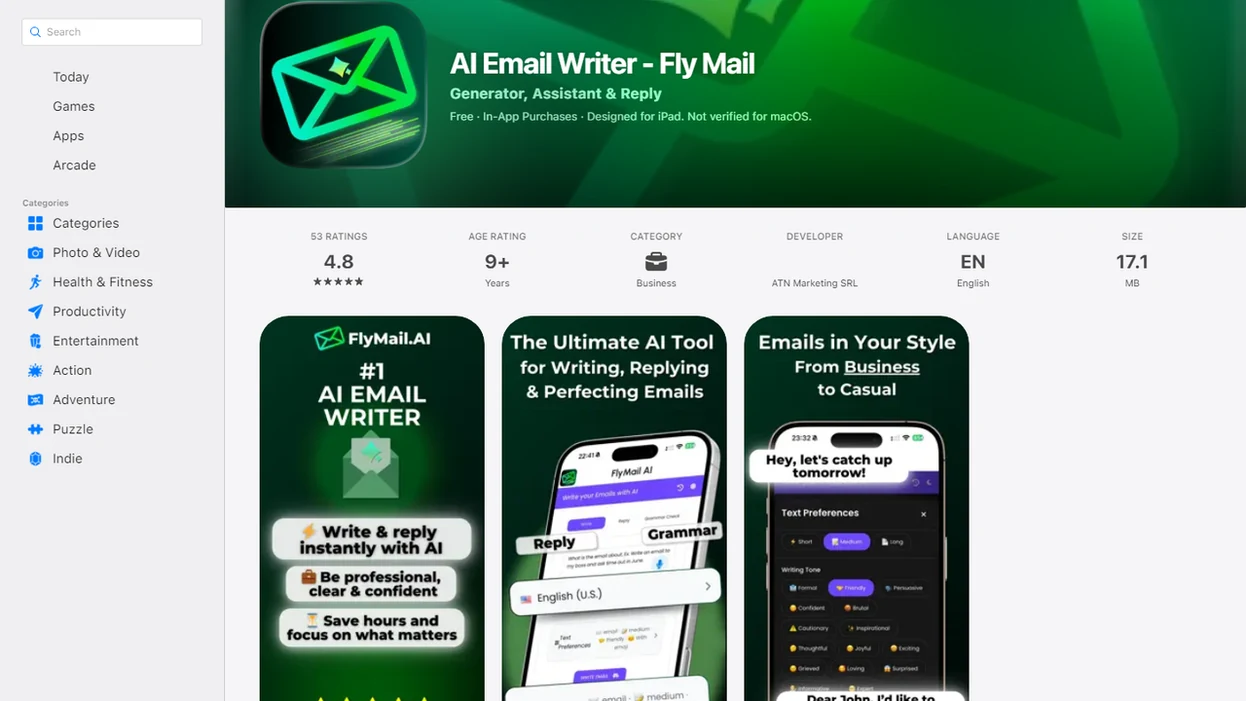
Notes to Email App At a Glance
A notes to email app is an email-specific AI drafting tool, not just a place to store reminders. It takes rough input and turns it into a message you can review, edit, and send manually.
Common inputs include bullet points, meeting notes, copied snippets, reminders, and dictated notes. The useful part is the email structure. You get a subject line, greeting, clear body, ask, and sign-off instead of a loose paragraph.
The draft is not the final decision.
Email-first apps fit this workflow on web and mobile when they support four jobs: draft from notes, reply with context, polish before sending, and adjust tone. That matters when you have three rough bullets copied from Apple Notes before a meeting starts.
How an App That Turns Notes Into Email Works
An app that turns notes into email works by reading the user’s rough notes, detecting the likely intent, applying tone and length choices, planning the email structure, and generating a draft for review.
The model looks for signals such as recipient, purpose, dates, requests, and constraints. In plain terms, it tries to answer, “Who is this for, what should happen next, and how should it sound?” Email-first tools optimize the output around subject line, greeting, body, call to action, and sign-off. A generic text generator may need more prompting to reach the same structure.
Good AI email writer and email generator tools for drafting, replying, and refining professional and personal emails on web and mobile deliver faster send-ready drafts, not judgment-free messages you should send without reading.
Vague notes create weak drafts because the model has to guess. You still own names, dates, facts, promises, and final wording.
Why AI Email From Notes Saves Writing Time
AI email from notes saves time because it removes the blank-page step and turns rough intent into editable wording. The gains are most realistic when the user already knows the message, but needs help shaping it.
- McKinsey’s 2012 social-economy report estimated that knowledge workers spend 28% of the workweek reading and answering email: https://www.mckinsey.com/industries/technology-media-and-telecommunications/our-insights/the-social-economy.
- The same McKinsey report estimated a 20–25% productivity potential in interaction-heavy roles when communication and collaboration improve: https://www.mckinsey.com/industries/technology-media-and-telecommunications/our-insights/the-social-economy.
- NBER working paper w31161 found that customer-support agents using generative AI assistance increased productivity by 14% on average: https://www.nber.org/papers/w31161.
- If you keep the 1.2 million-email response-rate claim, add the exact study URL inline; otherwise delete that bullet.
- These findings support practical drafting help, not blind automation or “AI writes everything” claims.
For busy senders, turning bullets into a draft is often faster than writing from scratch because the structure is created before the wording is polished.
How to Use FlyMail to Turn Bullet Points Into Email
Use FlyMail to turn bullet points into email by giving the app enough context to understand the recipient, goal, tone, and next step. The user still edits and approves the message before it goes anywhere.
- Add your notes: Paste bullets, reminders, copied snippets, or dictated thoughts into the draft box.
- Set the recipient and goal: Say who the email is for and what you want them to do next.
- Choose the tone: Pick professional, friendly, concise, persuasive, empathetic, or another tone that fits.
- Generate the draft: Let the app create the subject line, greeting, body, ask, and sign-off.
- Review the details: Check names, dates, attachments, promises, pricing, and any sensitive wording.
- Send manually: Copy or use the approved draft only after you are comfortable with the final message.
The awkward pause before tapping Send is useful. Keep it.
Best Notes for an AI Email From Notes Draft
The best notes for an AI email from notes draft include the recipient, purpose, key facts, desired outcome, deadline, tone, and constraints. Short bullets are enough when they carry real context.
Useful bullet point ingredients
Recipient: Name the person, role, or relationship, such as client, recruiter, manager, vendor, or friend.
Purpose: Say whether this is a follow-up, client update, job outreach, support reply, invoice reminder, or personal message.
Key facts: Include dates, amounts, project names, ticket numbers, links, or decisions already made.
Desired outcome: State the ask, such as approve the draft, confirm a call, answer a salary question, or send a file.
Tone and constraints: Add “warm but brief,” “firm but polite,” or “do not mention budget yet.”
Thin notes force the model to guess. A line like “reply to client” is usually not enough.
Email-First App vs Generic AI Chatbot for Notes
An email-first app can be faster than a generic AI chatbot because the workflow already expects a message, not an open-ended prompt. General chatbots are useful, but they often need extra instructions for tone, length, subject line, and structure.
| Drafting choice | How it works | Good fit | Watch for |
|---|---|---|---|
| Email-first app | Guides goal, context, tone, and email format | Fast drafts from bullets or mobile notes | Still needs human review |
| Generic chatbot | Responds to a prompt you write | Flexible writing and brainstorming | Prompt setup can take longer |
| Manual writing | You write every line yourself | Sensitive or strategic messages | Slower when the ask is simple |
For recurring inbox work, an email-first workflow usually works best when the message type is clear, while a chatbot fits exploratory writing that needs broader back-and-forth.
A tool that can generate email replies is especially useful when the original message already contains the context.
Mobile Notes to Email App Workflows
Can a mobile notes to email app turn quick phone notes into a draft? Yes, it can turn typed bullets, dictated thoughts, and post-meeting reminders into an editable email while you are away from a laptop.
Mobile use is practical for freelancers, founders, salespeople, support teams, and job seekers. A founder might check a pitch deck link in email, then create a warm intro draft before a morning call. A freelancer may turn a scope change note into a client update after a video call.
Phone screens add friction. You can lose the original email while rewriting the reply, or thumb-type half a sentence in a lunch line and forget the ask. A mobile-first workflow helps you paste, choose, refine, and review before sending on iPhone-style or Android-style devices without assuming one specific platform behavior.
Common Mistakes When You Turn Bullet Points Into Email
Most bad AI email drafts come from missing context, not from the bullet format itself. Better notes usually produce a clearer draft.
- Missing recipient context: Add who the reader is and what they already know.
- Unclear ask: Replace “follow up” with “ask if Tuesday at 2 p.m. works.”
- No deadline: Include timing, such as “need feedback by Friday noon.”
- Wrong tone: Say “direct but not cold” if the topic is sensitive.
- Overtrusting the draft: Read every line before sending, especially in support, hiring, sales, or finance contexts.
The NBER field experiment on 1.2 million emails found that shorter, more concise emails were associated with higher response rates. That does not mean every email should be tiny. It means the draft should be clear, specific, and no longer than the reader needs.
Tighten the ask first. Then polish.
Limitations
An app that turns notes into email is a drafting aid, not a substitute for judgment. It can speed up writing, but it cannot decide whether the message is accurate, fair, private, or strategically wise.
- AI may misinterpret vague or incomplete notes.
- AI may invent facts, dates, names, links, attachments, or promises when context is missing.
- Users must verify facts, tone, recipient names, and final wording before sending.
- Privacy and data handling vary by provider, so review the provider’s policy before pasting sensitive content.
- AI drafts can sound generic if you do not add personal details or relationship context.
- A polished draft cannot fix a confused, inappropriate, or premature communication strategy.
- Legal, HR, medical, financial, or compliance-heavy emails may need review by the right specialist.
- Mobile drafting can hide context because the original email, notes, and draft may not fit on one small screen.
Send-ready should never mean send-without-reading.
Read more
FAQ
Is there an app that turns notes into email?
Yes. An AI email writer can turn rough notes, bullet points, reminders, or dictated thoughts into an email draft for review.
Can AI write emails from notes?
Yes. AI can draft emails from short context or bullet points, but the user should review facts, tone, and final wording.
Can I use bullet points to write an email draft?
Yes. Bullet points are one of the most effective input formats because they keep the facts visible and easy to scan.
Does a notes to email app send messages automatically?
Reputable notes-to-email tools create drafts for approval rather than sending without user consent. The sender should edit and approve the message first.
Does a notes to email app work on mobile?
Yes. Many notes-to-email workflows work on mobile by turning quick phone notes, pasted snippets, or dictated thoughts into drafts.
What notes should I include for a better AI email draft?
Include the recipient, goal, key facts, deadline, desired tone, and specific ask. Add any constraints the draft should avoid.
Can AI write follow-up emails from meeting notes?
Yes. Meeting follow-ups work well when the notes include decisions, owners, deadlines, and the next action requested.
Is AI email from notes accurate enough to send?
AI email from notes can be accurate enough after human review. Accuracy depends on note quality, and the sender must fact-check before sending.
Turn rough notes into polished email drafts
Use FlyMail to convert bullet points, quick thoughts, and reminders into professional emails you can review, edit, and send with confidence.
Get FlyMail app