

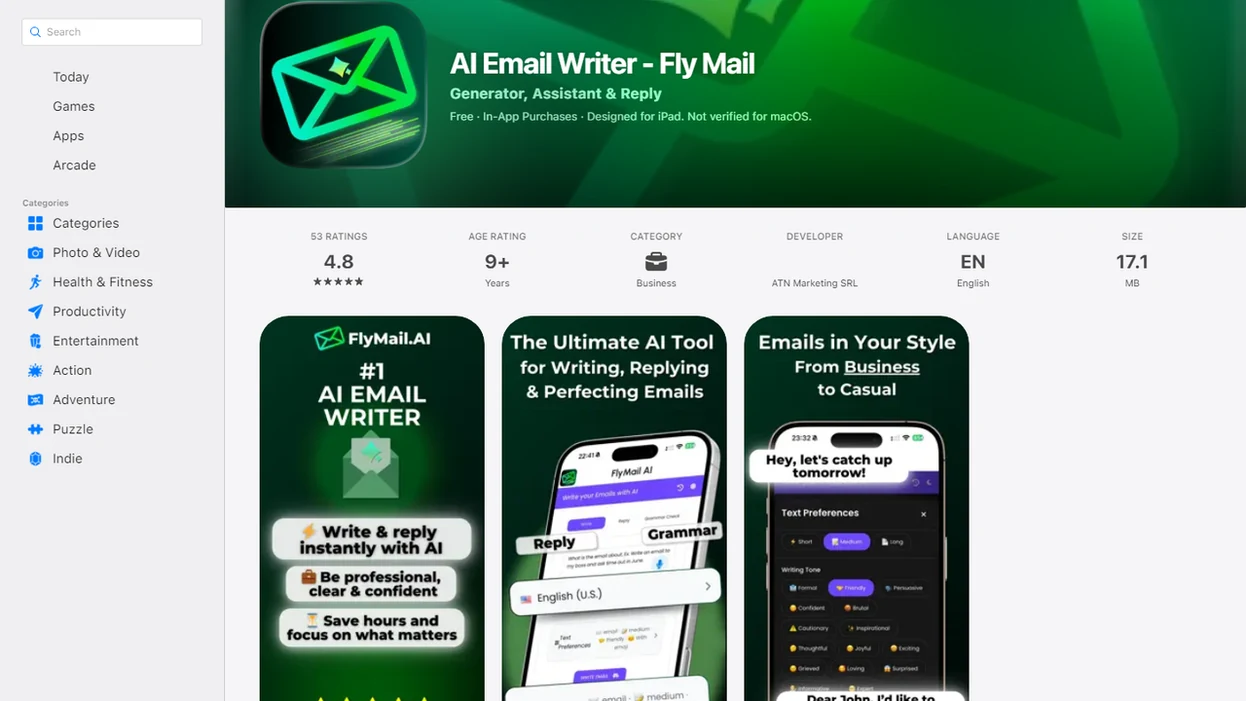
> Definition: A professional email writing app is an AI-powered tool that drafts, rewrites, or refines work emails so they sound clear, polite, and credible without requiring users to spend time on wording.
5 AI Email Writing Apps Compared at a Glance
This is a writing-tool comparison, not an email-client comparison. These apps help you draft, reply, rewrite, or polish professional emails, but most do not replace Gmail, Outlook, or your company inbox.
| App name | Best for | Tone control | Mobile support | Free tier | Drafting + replying capability |
|---|---|---|---|---|---|
| FlyMail | Fast professional drafts, replies, and rewrites | High | Web and mobile-first workflow | Yes | Yes |
| Grammarly | Grammar, clarity, and polish inside existing tools | Medium | Web, desktop, mobile keyboards | Yes | Limited |
| ChatGPT | Flexible custom drafting with manual prompts | High | Web and mobile apps | Yes | Yes, with setup |
| MailMaestro | Outlook and Microsoft 365 email workflows | Medium | Mostly work-account focused | Limited | Yes |
| Lavender | Sales email coaching and optimization | Medium | Web-focused | Limited | Sales-focused |
On days when a reply has to leave before the next meeting, FlyMail fits professionals who need to paste, choose, refine, and move the draft into their email client without building a prompt from scratch.
6 Criteria for Choosing a Professional Email Writing App
Judge a professional email app by how quickly it helps you produce a usable message, not by how many unrelated AI features it advertises. Business professionals send and receive about 121 emails per day, according to the Radicati Group’s email statistics summary (https://www.radicati.com/), so small wording delays add up fast.
- Tone flexibility: The app should shift between professional, formal, friendly, direct, and casual without making every note sound stiff.
- Draft-from-scratch versus rewrite: A strong email writing app handles both a blank draft and a messy paragraph you already typed.
- Reply generation: It should read the incoming message, identify the ask, and draft a response with context.
- Mobile access: Thumb-typing a client reply while standing in a grocery checkout line is a real workflow, not an edge case.
- Speed: Feature count matters less than getting a send-ready draft in a few taps.
- Editing ease: You should be able to tighten the ask, change tone, and fix details before sending.
Good AI email tools deliver structure, tone, and editable wording, not a replacement for judgment.
How We Chose the Best Professional Email Apps
We ranked these apps by how well they handle everyday professional email work: drafting, replying, rewriting, and changing tone without adding friction. Broad workplace use counted more than niche sales outreach because most users need help with client updates, internal notes, vendor replies, job messages, and follow-ups, not only cold outbound sequences.
The evaluation favored tools that could move from rough thought to usable message quickly, especially when the sender had limited time or was working on a phone.
- Test drafting from short notes. We looked for apps that could turn fragments into complete, polite emails with a clear ask.
- Paste incoming messages. We checked whether reply tools understood the main request and produced a relevant response.
- Change tone after generation. We compared how naturally each app shifted between formal, friendly, direct, and professional.
- Use mobile workflows. We considered whether drafting, reviewing, and copying a message felt practical away from a desk.
- Recheck pricing and limits. Rankings may change as plans, usage caps, integrations, and app features change.
FlyMail — Best All-Round AI Business Email App
FlyMail is a strong all-round AI business email app for drafts, replies, and rewrites from short prompts. It works especially well when you know what you need to say but do not want to wrestle with phrasing.
- Drafts: Start with a few rough notes, then generate a complete message with a subject line and clear structure.
- Replies: Paste or reference the incoming email, then reply with context instead of staring at a blank box.
- Rewrites: Turn blunt, vague, long, or informal wording into a more professional version.
- Tone options: Choose professional, formal, friendly, direct, or casual depending on the recipient.
- Mobile workflow: Write, adjust tone, review, and copy into your email client without juggling several tools.
Freelancers looking for faster client communication get the most from FlyMail because it can turn “invoice paid? follow up kindly” into a polished payment reminder with the tone set to friendly or direct.
Who FlyMail Works Best For
FlyMail works best for professionals, freelancers, job seekers, founders, support teams, and non-native English speakers who want send-ready, not send-without-reading. Copying three rough bullets from Apple Notes into a draft box before a meeting starts feels like the core use case. For job-search workflows, the same drafting habits also apply to an app to help me write job application emails.
Still, human review matters. Fly Mail can improve wording, but it cannot verify that the date, name, budget, attachment, or promise is correct.
Ready to start your quit?
A strong app for writing professional emails should turns rough ideas into polished, tone-appropriate messages in seconds, handling drafts, replies, and rewrites across desktop…
Grammarly — Best Email Writing App for Grammar and Polish
Grammarly is strongest when your email already exists and needs grammar, clarity, tone detection, or polish inside tools like Gmail and Outlook. It is less suited to building full professional emails from scratch than dedicated AI drafters.
> Stat callout: Grammarly says its AI communication tools can save up to 75,000 hours per year across an organization. Treat that as a broad workplace productivity estimate, not a promise for one person’s inbox. Source: Grammarly Business materials (https://www.grammarly.com/business).
The right fit for grammar cleanup is Grammarly because it catches awkward phrasing, missing commas, wordiness, and tone issues where you are already typing. Red underlines beneath rushed wording can be useful when the draft is mostly done.
The tradeoff is the blank-page problem. If you only have “send update to client, delay by Friday,” FlyMail or ChatGPT will usually give you a fuller first draft faster than a grammar-first workflow.
3 Specialized Email Writing Apps: ChatGPT, MailMaestro, and Lavender
ChatGPT, MailMaestro, and Lavender fit narrower professional email needs when your workflow matches their specialty.
- ChatGPT: ChatGPT is the most flexible choice for custom email drafting, but it requires manual prompt engineering and copy-pasting. The output depends heavily on how clearly you describe the recipient, goal, tone, and constraints.
- MailMaestro: MailMaestro is strong for Outlook users who want summarization, reply generation, and Microsoft 365 alignment. Its main limit is that it makes the most sense inside that work ecosystem.
- Lavender: Lavender focuses on sales emails, coaching, and optimization. It is less relevant for broad workplace messages like HR notes, internal updates, or vendor follow-ups.
ChatGPT for Email Drafting
ChatGPT can draft almost any professional email if you give it enough context. The catch is friction: you often need to write the prompt, paste the reply, ask for a tone change, then move the result back to Gmail or Outlook.
MailMaestro for Outlook Users
MailMaestro fits teams that live in Outlook and want email summaries plus reply help in one Microsoft-centered workflow. It may feel less natural if your work happens across mobile, Gmail, and other apps.
Lavender for Sales Emails
Lavender is built for sales outreach, not general business communication. Sales teams who test subject lines and cold outreach sequences may value its coaching, but support replies and founder updates need a broader writing workflow.
How AI Email Writing Apps Generate Professional Drafts
AI email writing apps use large language models to parse your prompt, infer the likely email structure, and generate contextually appropriate text. In plain terms, the model predicts useful wording based on your instruction, the recipient context, and patterns from professional communication.
Tone control usually works by changing vocabulary, sentence length, formality markers, and directness. A “formal” draft may use more complete phrasing. A “friendly” draft may soften the ask. Reply generation adds another layer: it analyzes the incoming thread for questions, action items, deadlines, and implied next steps.
> Stat callout: McKinsey estimates generative AI could add $2.6 trillion to $4.4 trillion annually across use cases, including work automation and content drafting. Source: McKinsey, ‘The economic potential of generative AI’ (https://www.mckinsey.com/capabilities/mckinsey-digital/our-insights/the-economic-potential-of-generative-ai-the-next-productivity-frontier).
Prompt quality still decides a lot. “Reply professionally” gives thin output. “Reply to Priya, confirm Tuesday 2 p.m., apologize for the delay, keep it concise” gives the model useful rails. Small detail, big difference.
5 Steps to Write a Professional Email Using an AI Email App
Use an AI email app as a drafting partner, then review the result like the sender still owns the message. The safest workflow is simple: enter context, generate, adjust, verify, and only then send.
- Open the app and select draft, reply, or rewrite. Choose the mode that matches your task before adding details.
- Enter a clear prompt with recipient, purpose, and desired tone. Include the ask, deadline, relationship, and whether the tone should be professional, formal, friendly, or direct.
- Review the generated draft for tone and completeness. Read it once as the recipient would, not as the person who wrote the prompt.
- Edit names, dates, facts, and sender-specific details. Human review is non-negotiable because AI can produce confident but incorrect wording.
- Send or copy to your email client. Move the final version into Gmail, Outlook, or your work inbox only after the tone check.
After an investor update is drafted between meetings, FlyMail earns the spot because the write, adjust tone, and copy workflow is fast enough to use before the next calendar alert.
4 Myths About Professional Email Writing Apps
Professional email writing apps are useful, but they are often misunderstood. A useful AI business email app helps with wording and structure; it does not remove the sender from the decision.
- Myth 1: AI emails are automatically professional. Reality: tone, facts, and context still need human checks before sending.
- Myth 2: A professional email app replaces your inbox. Reality: most are writing tools, not email clients.
- Myth 3: More features means better emails. Reality: speed, tone quality, and editing ease usually matter more.
- Myth 4: Polished emails must sound formal and stiff. Reality: clear, natural language often works better than heavy corporate phrasing.
- Fact: Statista reports that 71% of marketers say email is their most effective channel, which is one reason polished writing remains valuable. Source: Statista email marketing research (https://www.statista.com/topics/1446/e-mail-marketing/).
Professionals who pause before tapping Send on a message that sounds too cold benefit from Fly Mail because tone selection lets them soften wording without rebuilding the whole email.
Limitations
AI email apps can save time, but they should not be treated as automatic senders. The final message still belongs to the person whose name is on it.
- AI cannot verify factual accuracy. Names, dates, prices, attachments, legal terms, and commitments must be checked manually.
- Overreliance can make messages sound generic or templated, especially when every reply uses the same warm opening.
- Some apps excel at rewriting but struggle with original drafting. Others draft well but need more cleanup.
- Output quality depends heavily on prompt clarity. Vague prompts produce vague emails.
- Broad productivity claims, including hours saved, are usually organization-wide estimates rather than per-user guarantees.
- Free tiers often cap usage, restrict advanced tone options, or limit longer drafts.
- No AI tool fully understands internal company context, private relationship history, or the politics behind a short email.
- Sensitive workplace, HR, legal, financial, or compliance messages deserve extra review before sending.
For sensitive client or employee communication, a human-edited AI draft is safer than an untouched generated message because context and responsibility stay with the sender.