
> Definition: An AI email tone changer is a tool that automatically adjusts the wording, structure, and formality of an email draft to match a chosen tone, such as professional, friendly, concise, formal, or empathetic, while preserving the sender's original intent and key details.
FlyMail Email Tone Changer Features at a Glance
The tone changer adjusts the tone of an existing draft while keeping the message’s intent, facts, and basic structure intact. It is built for the real moment when a highlighted sentence sounds too blunt, but rewriting the whole email feels like too much.
- Professional: Use it for manager updates, client follow-ups, and cross-team requests.
- Friendly: Soften teammate check-ins, warm introductions, and personal notes.
- Concise: Shorten status updates, approvals, and emails to busy executives.
- Formal: Add distance and polish for external stakeholders or executive summaries.
- Empathetic: Rework apologies, complaint replies, and sensitive feedback.
Anyone dealing with a draft that sounds harsher than intended can use the tone changer because the tone selector works inside drafting, replying, and refining workflows on web and mobile.
AI Email Tone Changer Mechanics Behind FlyMail Rewrites
AI email tone changing works by analyzing sentence structure, word choice, formality level, and implied emotional pressure. The rewrite engine maps your draft against a target tone profile, then suggests wording that better fits the recipient and situation.
Under the hood, the model looks at signals like greeting style, directness, sentence length, hedging, and sign-off. “Please send this today” may become “Could you please send this by end of day?” in a professional tone. A concise rewrite may remove softeners instead. Same facts, different social temperature.
Custom prompts add another layer. You can choose “empathetic” and type “keep it brief for a frustrated customer,” which narrows the rewrite beyond the preset.
Good AI email writing tools deliver send-ready drafts for drafting, replying, and refining on web and mobile, not a send-without-reading replacement for judgment. The final output is still a suggestion. You control the last edit.
4 Steps to Rewrite Email Tone in FlyMail
Use the tone changer when you have the message, but not quite the tone. Clear, complete drafts produce better rewrites than vague fragments, especially when the email includes deadlines, names, or a specific ask.
- Paste or draft your email in FlyMail on web or mobile, including the context the recipient needs.
- Select a tone preset such as professional, friendly, concise, formal, or empathetic, or type a custom prompt.
- Review the rewritten version against your original so names, dates, attachments, and commitments still match.
- Edit for personal voice and accuracy, then send only after the message sounds like something you would actually say.
The pocket check is real.
If your priority is turning rough notes into a polished work email, the workflow fits because you can paste, choose, refine, and keep the final human review in the same mobile-first workflow.
5 FlyMail Email Tone Presets for Common Work Messages
The right tone depends on the relationship, not just the topic. A manager update, a client escalation, and a teammate favor may all need the same facts with different wording.
Stat callout: In a 2023 Pew Research Center survey, 39% of U.S. workers said they had experienced confusion or conflict at work because of misinterpreted emails or messages.
- Professional: Manager updates, cross-team requests, client follow-ups, and emails that need calm clarity.
- Friendly: Teammate check-ins, warm introductions, personal messages, and low-stakes coordination.
- Concise: Status updates, quick approvals, executive replies, and “yes, here’s the answer” messages.
- Formal: Legal correspondence, executive summaries, vendor notices, and external stakeholder emails.
- Empathetic: Apologies, layoff notices, tough feedback, complaint responses, and tense support replies.
When a calendar alert covers a half-written email, the preset list helps because the preset list gives you a quick tone decision before the message drifts.
FlyMail Tone Changer Interface on Web and Mobile
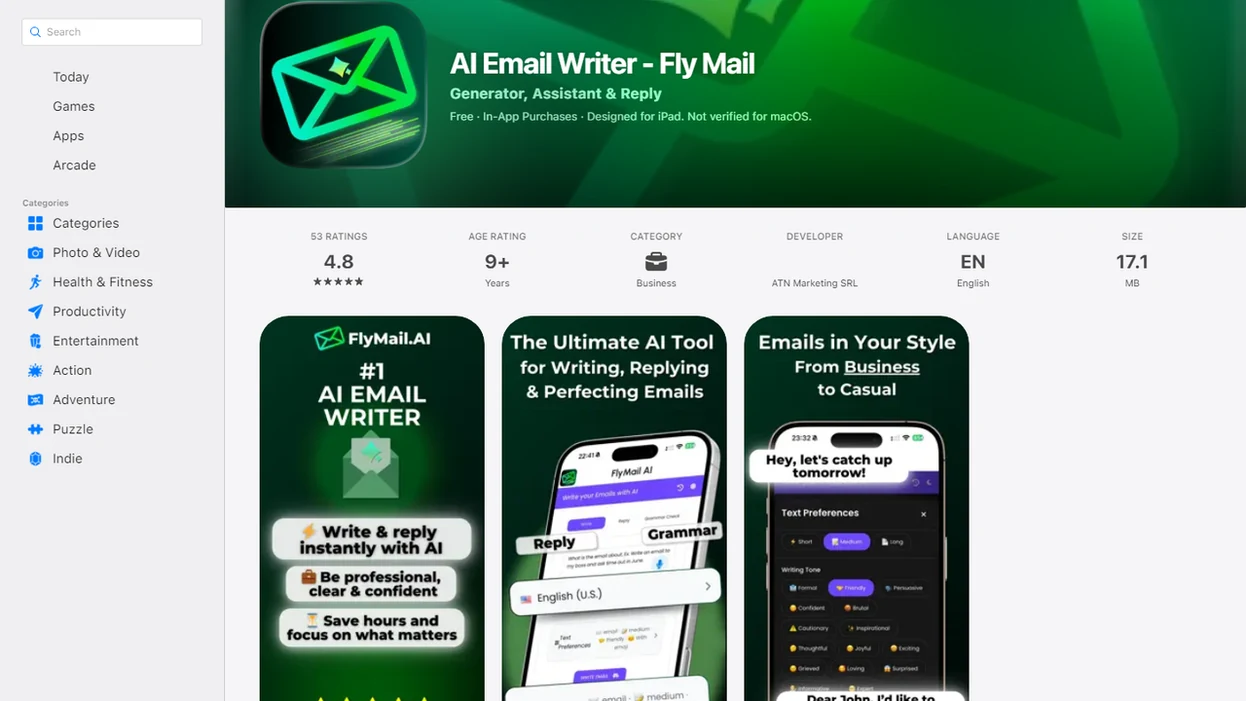
The interface places tone rewriting where the email work already happens: compose, reply, and refine views. You do not have to copy a draft into a separate paste-only rewriter, lose the original email, and then rebuild context from memory.
The interface supports a before-and-after review, so you can compare the original draft with the rewritten version before accepting it. On a phone, that matters. The tiny-screen problem is losing the original message while trying to improve the reply.
A custom prompt field lets you combine a preset with a specific instruction, such as “more formal but still warm” or “shorter for a recruiter reply.” One-tap accept gets the draft close, but further editing stays available. The same tone workflow stays available on phone and desktop.
Ready to start your quit?
The FlyMail email tone changer uses AI to rewrite your email drafts into professional, friendly, concise, formal, or empathetic tones without altering your core message. Paste or…
5 Must-Know Facts About AI Email Tone Rewriting
AI tone rewriting is useful because email strips away facial expression, timing, and vocal warmth. That missing context makes a short message feel colder than the sender intended.
- 62% of digital workers say unclear communication reduces productivity, according to Grammarly's State of Business Communication research: https://www.grammarly.com/business/state-of-business-communication
- Knowledge workers spend about 28% of the workweek on email, based on McKinsey workplace research: https://www.mckinsey.com/industries/technology-media-and-telecommunications/our-insights/the-social-economy
- Email and workplace messages are often misread, and any statistic used here should be linked to its original survey source rather than repeated without a URL.
- AI tone rewriting automates clarity and formality, but it still requires human review for facts and judgment.
- Presets plus custom prompts usually produce stronger rewrites than presets alone because the model gets the tone and the situation.
Professionals trying to make email sound professional without over-polishing every sentence can use this workflow because it combines tone presets with custom prompt instructions.
Evidence Behind AI Email Tone Rewriting
The evidence for AI email tone rewriting is strongest when communication claims are tied to their original reports and kept separate from product claims. In plain terms: research can explain why tone matters, while FlyMail can only claim what its workflow actually does.
- Check the source type before using a statistic. Peer-reviewed communication research is better for general claims about ambiguity, politeness, and relationship cues; vendor-sponsored workplace surveys are better for current workplace sentiment and productivity snapshots.
- Link each statistic to the original report when space and citation limits allow, rather than repeating a number from a roundup or social post.
- Separate capability from advice. FlyMail can rewrite drafts into professional, friendly, concise, formal, or empathetic tones; it cannot prove that every rewritten email will land well with every recipient.
- Name the limits behind the numbers. Many workplace surveys depend on geography, job type, sample size, self-reporting, and the year the survey ran.
- Review the final tone against the actual relationship, because evidence supports clearer writing, not automatic social judgment.
That is why tone review stays useful: it turns broad communication evidence into one careful send-or-edit decision.
4 Common Myths About AI Email Tone Changers
AI email tone changers are drafting aids, not social judgment engines. They can improve wording quickly, but they do not understand every relationship, workplace norm, or hidden tension.
Myth 1: AI always gets the tone perfect. Reality: you still need a tone check before sending, especially after a conflict or escalation.
Myth 2: AI makes every email generic. Reality: specific prompts and light editing preserve your voice. Add “keep my direct style” if that matters.
Myth 3: Tone changers are only for formal business emails. Reality: friendly, concise, and empathetic rewrites are often more useful than formal ones.
Myth 4: Selecting professional fixes business errors. Reality: “professional” changes wording. It does not verify numbers, promises, policy, or attachments.
That awkward pause before tapping Send still belongs to you.
FlyMail Email Tone Changer vs. Standalone Rewrite Tools
This workflow differs from paste-only rewrite tools because it connects tone changes to drafting, replying, and refining. Standalone tools can help, but many stop once they produce rewritten text.
| Tool type | Strength | Limitation |
|---|---|---|
| FlyMail | Draft, reply, refine, and change tone in one workflow | Presets focus on five common tone categories |
| Grammarly-style rewrite tools | Useful grammar and clarity suggestions | May not support full email reply context |
| ChatGPT or Copy.ai | Flexible prompting for many writing tasks | Requires more manual setup and context copying |
| Jasper.ai or similar tools | Strong for marketing copy workflows | Often broader than day-to-day inbox work |
| Standalone tone sliders | Granular control for style experiments | Usually paste-only and less mobile-first |
When sensitive tone is the issue, the integrated workflow earns the spot because empathetic rewriting is built into the same reply workflow as professional and concise rewrites. Some standalone tools may offer more granular slider controls, so they can suit users who want style tuning over inbox speed.
FlyMail Productivity Features Related to Tone Rewriting
Tone rewriting works better when the rest of the email workflow is close by. Related workflows also support AI email drafting from scratch, one-tap smart replies, email refining, shortening, and mobile email productivity tools.
If you start with scattered notes, the drafting workflow can turn them into a complete email before you run a tone pass. The FlyMail email rewrite tool is useful when the problem is more than tone, such as structure, length, or clarity.
Subject lines matter too. After polishing the body, the FlyMail subject line generator can create options that match the message’s urgency and formality. For cross-language work, the FlyMail multilingual email writer helps draft and refine across languages.
Limitations
AI tone rewriting can improve wording quickly, but it does not remove the need for judgment. Sensitive emails deserve a slower review than a routine “Follow up Monday” or “Invoice reminder” message.
- AI can misjudge cultural context, hierarchy, or sensitivity in cross-cultural emails.
- It cannot guarantee factual accuracy, legal compliance, or adherence to company policies.
- Overreliance on AI rewriting may erode your personal writing voice over time.
- It may miss industry jargon, in-group humor, or subtle relationship dynamics without detailed prompts.
- Sensitive or regulated communications may require manual writing instead of AI assistance.
- Tone presets cover professional, friendly, concise, formal, and empathetic; sarcasm and humor are not preset options.
- A polished rewrite can still be the wrong message if the ask, timing, or audience is wrong.
For high-stakes communication, human review matters more than rewrite speed because tone is only one part of a responsible email.
Improve your email tone with FlyMail
Use FlyMail to turn rough drafts into polished professional emails that match your audience and situation. Review every AI-edited message for accuracy, privacy, and sensitive workplace context before sending.
Download the FlyMail app