
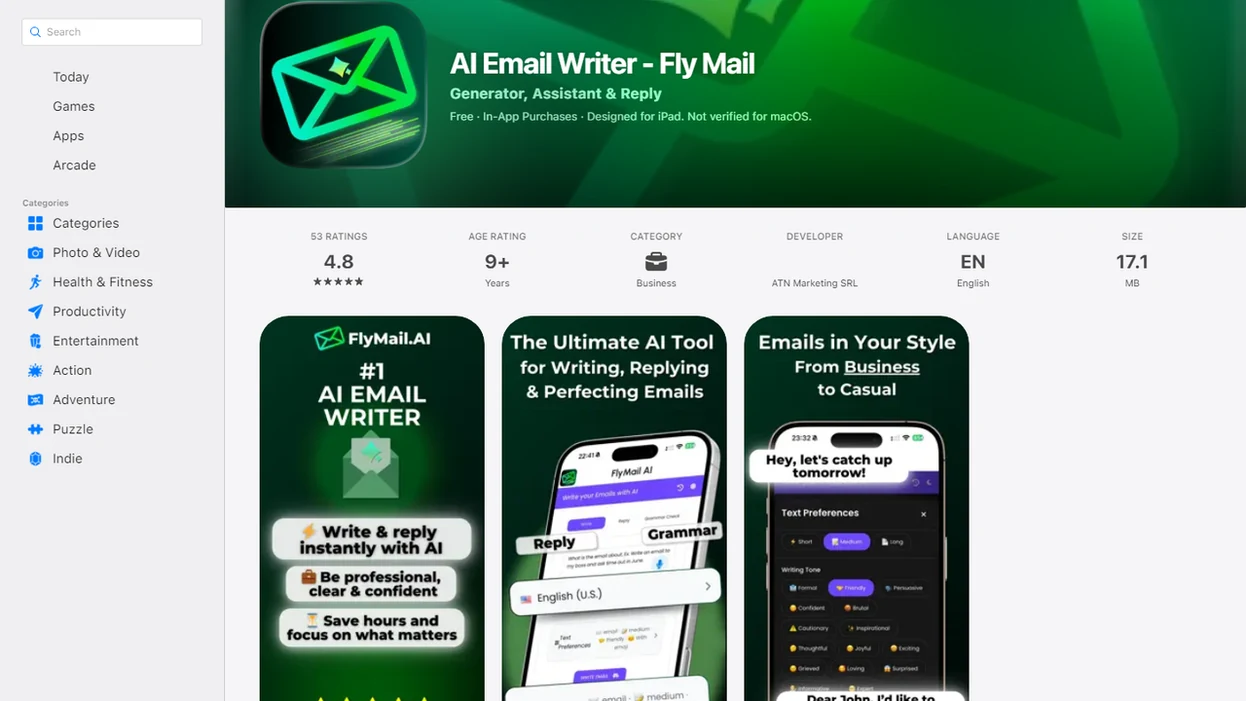
Definition: FlyMail subject line generator is an AI email subject line tool built into FlyMail that creates concise, context-matched subject lines for professional and personal emails using plain-language prompts.
At a Glance: What the FlyMail Subject Line Generator Does
The generator is built for email work first, not adapted from a general chatbot after the fact. It helps turn the message you are already writing into a clear subject line that fits the recipient and purpose.
- Email-first workflow: It connects the subject line to the draft, reply, or rewrite you are preparing.
- Multiple email types: It supports business email subject line ideas, customer support replies, sales outreach, follow-ups, and personal messages.
- Fast output: The stated generation process can take under 30 seconds from prompt to usable draft.
- Free web testing: The web version offers 3 free generations per day on the web tool, enough for basic testing.
- Part of a larger flow: The subject line sits beside drafting, replying, rewriting, and tone adjustment.
If your subject line problem is speed plus accuracy, FlyMail fits because it uses a paste, choose, refine workflow rather than a blank chatbot prompt.
How the AI Subject Line Generator Works
An AI subject line generator works by reading your plain-language prompt, identifying the email goal, and producing a short line that reflects the message body. You can describe the recipient, situation, desired tone, and email type without writing a formal AI prompt.
The system uses prompt context and language patterns to predict subject lines that match the body. In plain terms, it looks for the ask, the relationship, and the reason for the email. A sales follow-up written in hallway noise needs different wording from an angry customer message on split screen.
The output should avoid vague, misleading, or overly salesy subject lines. A reply may need “Re: Updated contract timeline,” while outreach may need “Intro request for warehouse software review.” Grammarly recommends giving AI email tools clear context, audience, and purpose details for stronger drafts (https://www.grammarly.com/blog/ai-email-writer/), and the same principle applies here.
Good AI email tools deliver send-ready drafting support, not send-without-reading automation.
How to Use FlyMail's Email Subject Line Tool
Use the email subject line tool by giving the email subject line tool enough context to understand the message, then reviewing the result before you send. The process is short, but the review step matters.
- Open FlyMail on web or mobile. Start where you are already drafting, whether that is a laptop tab or a phone screen.
- Describe the email context, recipient, and purpose. Paste the core message or type the situation in plain language.
- Select the email type. Choose reply, follow-up, outreach, support, personal, or the closest available option.
- Review the generated subject line. Check accuracy, tone, specificity, and whether the line matches the email body.
- Edit if needed, then use it with the draft. Polish before sending, especially for customer, legal, HR, or finance-related messages.
Copying three rough bullets from Apple Notes into a draft box before a meeting starts is enough, if the bullets include who, why, and what happens next.
When to Use an AI Subject Line Generator for Business Emails
Use an AI subject line generator when the subject needs to be clear, professional, and tied to a specific action. It is most useful when “Following up” or “Quick question” would make the recipient guess.
Sales and Outreach Subject Lines
Sales and founder emails often depend on a subject line that states the reason to open without sounding inflated. A pitch deck link checked in email needs a line like “Pitch deck for Thursday investor call,” not “Huge opportunity.” That workflow helps tighten the ask by pairing the subject with the email goal.
Founders trying to book meetings from short notes can use FlyMail because it turns scattered context into subject line options that match outreach, follow-up, or intro-request workflows.
Support and Follow-Up Subject Lines
Support and follow-up emails need traceable wording. “Ticket #1842: refund status update” is easier to act on than “Update.” Non-native English speakers also benefit when they need concise phrasing that sounds direct but not blunt.
For support teams, a clear subject line is often better than a clever one because ticket history, customer mood, and next action matter more than novelty.
Ready to start your quit?
The FlyMail subject line generator is an AI-powered feature inside FlyMail that produces short, specific, and non-deceptive subject lines for business, support, sales, and…
What a Generated Subject Line Looks Like in FlyMail
A generated subject line in FlyMail should move from vague to specific without becoming long or clickbait. Professional email subject lines should be clear and concise, not vague, generic, or detached from the email body.
| Email situation | Weak subject line | Better generated subject line |
|---|---|---|
| Invoice question | Quick question | Question about Q3 invoice #4821 |
| Sales follow-up | Following up | Following up on Tuesday's product demo |
| Personal planning | Hey | Dinner plans for Saturday at 7 |
| Recruiter email | Application | Recruiter reply about product manager role |
| Client update | Update | Project update before Friday review |
The awkward pause before tapping Send often comes from tone, not grammar. If the subject sounds sharper than the message, use the FlyMail email tone changer before sending.
When the issue is vague wording, this workflow earns the spot because the subject line is generated beside the email draft, not in a separate headline box.
FlyMail Subject Line Generator vs. Alternative Email Subject Line Tools
FlyMail differs from many alternative email subject line tools because it treats the subject line as part of the email, not a standalone marketing headline. That matters for replies, support threads, and follow-ups where context is already established.
| Tool type | Common focus | Where it helps | Where it can fall short |
|---|---|---|---|
| FlyMail | Email-body-aware subject lines | Replies, follow-ups, support, outreach, personal email | Still needs human review |
| Grammarly | Broad AI email assistance and writing clarity | Drafting and polishing email text | Broader scope, not always subject-line-specific |
| Microsoft Copilot | Drafting, rewriting, summarizing, and refining emails | Workplace productivity across Microsoft tools | Not built only around subject line generation |
| ChatGPT or Copy.ai | General-purpose text and marketing copy | Brainstorming many variations | May miss thread context unless prompted carefully |
| Jasper.ai or boss ai email | Marketing and sales writing | Campaign-style copy | Often less suited to routine reply subjects |
General AI writers can produce subject lines, but Fly Mail fits everyday inbox work because the workflow starts with the email context.
Why Subject Line Clarity Matters More Than Cleverness
Subject line clarity matters because it sets the recipient’s expectation before the email is opened. A clear line tells the reader what the message is about, what thread it belongs to, and whether action is needed.
Misleading or clickbait subjects can damage trust. For commercial email, the FTC’s CAN-SPAM guidance also says subject lines must not mislead recipients about the message content (https://www.ftc.gov/business-guidance/resources/can-spam-act-compliance-guide-business). They can also make internal search harder later. Nobody enjoys hunting for “Quick thing” when the real topic was an invoice dispute from March.
Grammarly recommends clear and concise email wording over vague or generic phrasing. The same discipline applies to subject lines. Match the subject to the body, keep it short, and avoid exaggeration.
For busy teams, subject line quality usually depends more on accurate context than on clever phrasing because recipients scan for relevance first.
Evidence and Sources Behind Subject Line Guidance
The guidance here is based on compliance rules, practical writing advice, and the limits of what an email tool can honestly claim. FlyMail can make subject-line writing faster and more consistent, but it should not be framed as a guaranteed open-rate engine.
The FTC’s CAN-SPAM guidance is the hard boundary for commercial email: the subject line cannot mislead people about what is inside the message. Writing authorities such as Grammarly add the everyday craft layer: give the reader enough context, keep wording brief, and choose clarity over vague filler.
Use that evidence in this order:
- Start with truthfulness. Make sure the subject matches the email body before optimizing tone or style.
- Add recipient context. Name the project, date, ticket, invoice, or next action when it helps the reader sort the message.
- Keep claims modest. Say FlyMail helps save drafting time and reduce blank-page friction, not that it guarantees more opens.
- Separate the tool from the rule. FlyMail generates options inside an email workflow; the broader best practice is still clear, non-deceptive writing.
- Choose broader tools when needed. Grammarly, ChatGPT, and Copy.ai may be preferable for long-form drafting, open-ended brainstorming, or full-message rewrites.
Related FlyMail Email Writing Features
The subject line generator works best when paired with drafting, reply, and rewrite tools. You can draft from notes, generate a reply with context, then tighten the subject before the message leaves your inbox.
Related workflows include full email draft generation from plain-language prompts, AI email reply support, and rewrite options for professional, friendly, concise, persuasive, or empathetic tone. The FlyMail email rewrite tool is useful when the body needs cleanup before the subject line is final.
Freelancers who write project updates between client calls can use FlyMail because the same workflow supports body text, tone check, subject line options, and mobile review.
For global teams, the FlyMail multilingual email writer helps shape messages when the sender needs natural phrasing across languages.
Limitations
FlyMail can speed up subject line writing, but it does not remove the sender’s responsibility. Treat every generated line as a draft, especially when the email affects money, employment, privacy, or customer trust.
- AI output can still sound too generic or too salesy if the prompt lacks names, dates, stakes, or next steps.
- FlyMail is not a substitute for workplace policy, legal review, HR guidance, or customer support escalation rules.
- A concise subject line is not automatically the right one; recipient, timing, and purpose still shape effectiveness.
- The free web tool includes 3 generations per day, which can limit side-by-side testing of many variations.
- Speed and convenience do not prove higher open rates. The stronger claim is productivity, not guaranteed performance.
- Human review is still required for accuracy, tone, and intent before sending.
- Weak inputs produce weak outputs. The tool amplifies prompt quality; it does not replace context.
- Competitors like grammarly.com, chatgpt.com, and copy.ai may be better when you want broad writing help or open-ended brainstorming.
For a broader breakdown of subject-line tools, the tool that can create subject lines guide covers the category outside FlyMail.