

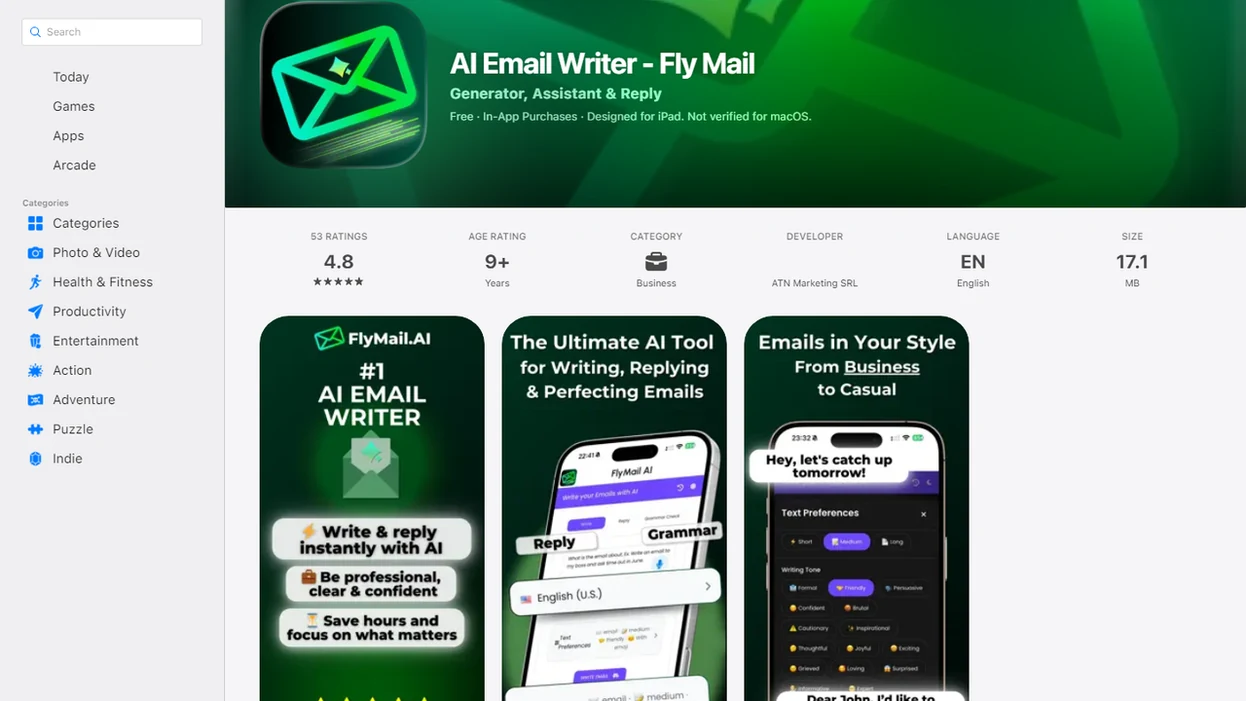
> Definition: FlyMail is an AI email polisher that rewrites drafts for clarity, tone, and structure while keeping the sender's original intent intact.
At a Glance: What the FlyMail Email Rewrite Tool Does
FlyMail rewrites email drafts for clarity, tone, length, and professionalism without asking you to start over. It is built for the messy middle, when the idea is right but the wording is not send-ready yet.
- The rewrite flow can turn blunt, vague, or overly long drafts into cleaner messages with a clearer ask.
- The rewrite workflow fits professionals, job seekers, freelancers, support teams, founders, and non-native English speakers.
- Web and mobile access matter because many replies happen away from a desk, including thumb-typing a client reply in a grocery checkout line.
- Roughly 306 billion emails were sent and received per day globally in 2020, according to Statista’s daily email volume estimates.
- McKinsey estimated that knowledge workers spend about 28% of the workweek reading and answering email in its social economy report.
For people who need to rewrite email professionally before a manager, client, or recruiter reads it, this email rewrite workflow fits because it turns pasted notes into a polished draft with tone options and human review before sending.
How FlyMail's AI Email Polisher Works Behind the Scenes
An email rewrite tool works by reading your draft for intent, structure, and tone signals, then generating cleaner surface language around the same core message. FlyMail uses a large language model to separate what you mean from how the first draft sounds.
In plain terms, the model looks for the ask, the context, the relationship, and the emotional temperature. Then the tone selector adjusts formality, warmth, and brevity. A tense paragraph can become calm wording, but the underlying request should stay recognizable.
The output is a suggested rewrite, not a locked replacement. You still choose what survives.
Private email content should not be stored or used for model training, according to the product privacy policy. That matters when you paste a refund policy note beside a support reply draft, or when a stakeholder update includes names that should not wander into a training set. Good AI email tools deliver a better draft, not permission to stop thinking.
How to Rewrite Email Professionally With FlyMail
The fastest way to use FlyMail is the brain-dump-to-polished workflow: write the rough version first, then let the AI email polisher tighten the message. This works especially well when you know the point but dislike the phrasing.
- Paste or brain-dump your rough draft into the rewrite box, even if it starts as three uneven bullets.
- Select a target tone, such as professional, friendly, concise, formal, or empathetic.
- Tap Rewrite and review the polished version beside your original idea.
- Edit any names, facts, deadlines, attachments, or details the AI missed or over-smoothed.
- Copy or send the final email from web or mobile after one last tone check.
A common pattern is copying three rough bullets from Apple Notes into the draft box before a meeting starts. For mobile-first users, the mobile rewrite workflow earns the spot because the paste, choose, refine workflow avoids losing the original email while rewriting on a tiny screen.
When to Use an Email Rewrite Tool Instead of Writing From Scratch
Use an email rewrite tool when your first draft already contains the facts, but the tone, length, or structure could cause friction. Rewriting beats blank-page drafting when the message needs repair more than invention.
Emotionally charged replies are the clearest case. If an angry customer message is on one side of the screen and your reply sounds defensive, the rewrite can reduce heat while keeping the resolution clear. Long-winded updates also benefit because busy recipients need the ask near the top.
Non-native English speakers often have the right idea but want phrasing that sounds natural. Quick mobile replies need the same polish. Adobe reported that 79% of workers were comfortable using generative AI for tasks such as drafting emails in its Future of Digital Work report.
Anyone dealing with a draft that sounds too cold can use the rewrite flow because the rewrite flow gives a calmer version before the awkward pause before tapping Send.
Ready to start your quit?
The FlyMail email rewrite tool takes your rough, rambling, or awkward email draft and turns it into a clear, professional message while preserving your original meaning. Paste or…
What a Rewritten Email Looks Like in FlyMail
A good rewrite preserves intent and changes surface language. The point stays; the delivery improves.
Before: “Hey, I already sent this last week and still haven’t heard back. Can you look at it today? I need it done.”
After, professional: “Hi Jordan, I’m following up on the document I sent last week. Could you review it today if possible? I need your feedback before I can move the next step forward.”
After, friendly: “Hi Jordan, just checking back on the document I sent last week. If you have time today, could you take a look? Your feedback will help me keep things moving.”
The meaning is the same: review the document today. The rewrite changes pressure, order, and tone. If you want deeper tone control across drafts and replies, the FlyMail email tone changer covers that workflow directly.
Common Myths About AI Email Rewrite Tools
AI email rewrite tools are useful, but they are not mind readers. The strongest results come when your draft includes enough context for the model to understand the relationship, the ask, and the stakes.
Myth one: AI changes the meaning of your email. In practice, The rewrite engine is designed to preserve intent while improving clarity, structure, and tone. Still, you should compare the rewrite against the original before sending.
Myth two: proofreading is no longer needed. Not true. AI can miss a project nickname, soften urgency too much, or remove a detail your team expects.
Myth three: AI polishers only work for formal business emails. The AI email polisher can also refine casual notes, personal follow-ups, and friendly check-ins without making them sound stiff.
Myth four: The AI understands company policies and legal requirements. It works with the text you provide. Policy, compliance, and relationship context remain human responsibilities.
FlyMail Email Rewrite Tool vs. Alternative Email Polishers
FlyMail is built around practical email rewriting, especially when the input is messy, emotional, or typed on a phone. General writing tools like grammarly.com, chatgpt.com, copy.ai, jasper.ai, or boss ai email may help, but their workflows often start broader than email.
| Need | FlyMail | Alternative email polishers |
|---|---|---|
| Multi-device workflow | Web and mobile drafting for quick inbox moments | Often strongest on desktop or browser workflows |
| Emotional-language reduction | Helps soften blunt replies and tense wording | May focus mainly on grammar or polish |
| Tone control | Multiple tone options for professional, friendly, concise, and more | Some use one rewrite mode |
| Messy input | Supports brain-dump-to-polished drafting | Some expect cleaner starting text |
| Email-specific flow | Draft, reply, rewrite, and polish before sending | May require prompt setup |
Pew Research Center reported that 62% of U.S. adults had heard of ChatGPT in 2023, while about 18% had used it, in its August 2023 ChatGPT survey summary. That gap shows why focused tools matter. Professionals trying to clean up replies faster can choose FlyMail because the email rewrite path is already shaped around inbox tasks, not open-ended prompting.
Related FlyMail Features for Email Drafting and Replies
The rewrite feature is part of a broader email workflow. The broader email workflow can help draft from scratch, generate replies with context, adjust tone, and polish messages on the go.
If you are starting with no draft at all, use AI email drafting to turn a rough idea into a complete message. If someone has already written to you, the reply generator can help shape a clear answer. Subject lines are a separate job, and the FlyMail subject line generator helps match the message to a clear inbox preview.
Freelancers who send cold outreach with portfolio samples linked in the email can use the rewrite feature because it supports both the body rewrite and tone check before the pitch goes out. For multilingual writing, the FlyMail multilingual email writer is the more direct fit.
Limitations
FlyMail can improve wording, but it cannot replace human judgment. Treat every rewrite as send-ready, not send-without-reading.
- It can misinterpret sarcasm, inside references, team shorthand, or a joke that only makes sense in Slack.
- It may over-normalize writing and dilute your personal voice or brand voice over time.
- Email content is processed on remote servers, so confidential, regulated, or highly sensitive drafts need extra caution.
- It cannot verify facts, check attachments, confirm calendar changes, or know real-time project updates.
- It may soften urgency too much when a deadline or escalation needs to stay firm.
- Overuse can create a false sense of professionalism; strategy, timing, and relationship history still matter.
- It does not guarantee compliance with company policies, HR rules, legal requirements, or industry regulations.
Board notes condensed into three bullets can become cleaner, but someone still needs to confirm what the board actually approved. That someone is you.
Rewrite better emails on mobile with FlyMail
Use FlyMail to polish awkward drafts, improve tone, shorten long messages, and send clearer professional emails with confidence. Always review important messages for facts, tone, privacy, and sensitive work details before sending.
Download the FlyMail AI email writer app